Imagine watching a video without sound. You can see the action, but you miss the jokes, the warnings, and the emotional tone. Now imagine being blind and trying to understand that same video through audio alone. For decades, bridging this gap meant manual labor-humans typing out captions or writing detailed descriptions for images. It was slow, expensive, and often incomplete.
That changes with Multimodal Generative AI, which is an advanced artificial intelligence system capable of processing and generating multiple forms of data-including text, images, audio, and video-simultaneously to create dynamic, context-aware accessible experiences. Unlike older tools that handled only one type of input, these new systems see, hear, and read at the same time. They don't just translate content; they understand it. This shift moves us from static, one-size-fits-all interfaces to adaptive environments that change based on who is using them.
Key Takeaways
- Multimodal Generative AI processes text, audio, and visual data together, allowing for real-time adaptation of content for users with diverse abilities.
- The technology eliminates the "accessibility gap" by providing native support for features like live captions and audio descriptions rather than adding them as afterthoughts.
- Tools like Google's MAVP prototype allow users to interactively query video content (e.g., "What is the character wearing?") using natural language.
- The "curb-cut effect" means accessibility features built for disabilities often improve the experience for everyone, such as voice controls helping multitasking professionals.
- Major tech companies are shifting from reactive assistive tools to proactive, agent-driven interfaces that anticipate user needs.
Beyond Single-Mode Assistive Tools
Traditional accessibility tools were single-mode. A screen reader converts text to speech. A captioning service converts audio to text. They worked in silos. If you needed both, you had to juggle two different pieces of software, often with conflicting instructions.
Multimodal Generative AI breaks down those walls. By integrating sophisticated language processing with vision and audio recognition, these systems offer what researchers call "multimodal fluency." This isn't just about converting formats; it's about situational awareness. The AI understands the context of a scene, not just the pixels or the phonemes.
For example, consider a complex data chart. A standard alt-text generator might say, "A bar chart showing sales." A multimodal model can analyze the trends, identify outliers, and generate a narrative summary: "Sales peaked in Q3, driven by product X, while Q4 saw a 15% drop due to supply chain issues." This level of detail transforms passive consumption into active understanding for users with visual impairments or cognitive differences.
The Shift to Natively Adaptive Interfaces
One of the biggest barriers in digital accessibility has been the "accessibility gap." This is the delay between when a new feature launches and when an assistive layer is built for it. During that gap, people with disabilities are locked out.
Google Research addresses this with their Natively Adaptive Interfaces (NAI) framework, which replaces static navigation with dynamic, agent-driven modules that adapt to individual user needs in real-time. Instead of building a website and then trying to make it accessible later, the interface itself is designed to be adaptive from the start.
Think of it like a conversation rather than a menu. In traditional design, you hunt for buttons. In an NAI framework, an orchestrator agent acts as a strategic manager. It maintains shared context-understanding what document you're looking at or what video you're watching-and delegates tasks to specialized sub-agents. If you ask, "Summarize this page," the system doesn't just scrape keywords. It reads the layout, identifies headings, analyzes images, and synthesizes a coherent summary tailored to your preferred complexity level.
Real-Time Narration and Interactive Video
Video content has historically been one of the hardest mediums to make fully accessible. Closed captions help hearing-impaired viewers, but they don't describe visual actions. Audio descriptions help blind viewers, but they are pre-recorded and linear-you can't pause to ask for more detail.
Google's MAVP (Multimodal Accessible Video Prototype) changes this dynamic by transforming video content into an interactive, user-led dialogue where users can verbally adjust descriptive detail or ask specific questions about visual content in real-time. Built on Gemini models, MAVP uses a two-stage pipeline. First, it generates a "dense index" of visual descriptions offline. Then, during playback, it uses retrieval-augmented generation (RAG) to provide fast, high-accuracy responses.
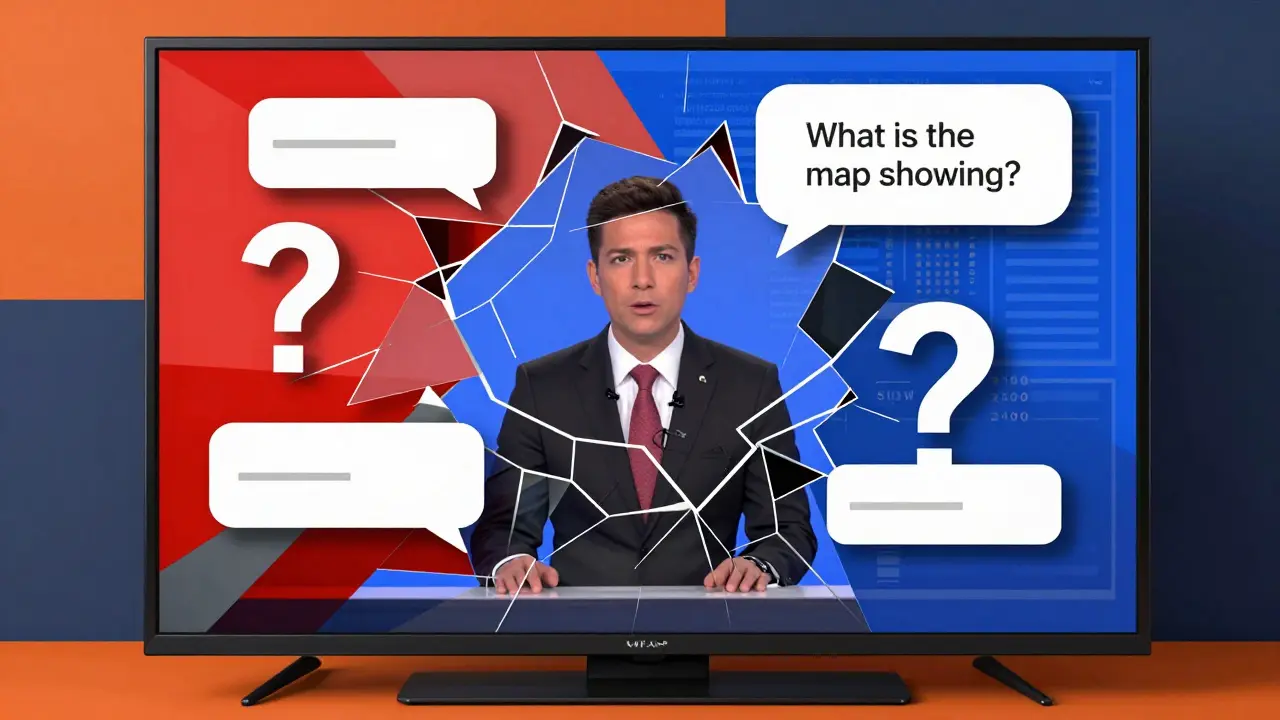
Here is how it works in practice: You are watching a news broadcast. You might ask, "What is the map behind the anchor showing?" The system pauses the audio description stream, analyzes the visual frame, and answers, "It shows rainfall projections across the southeastern United States, highlighting Florida as the highest risk area." You can then follow up with, "Is New York included?" and get an immediate answer. This turns a passive viewing experience into an active exploration, reducing cognitive load and ensuring no visual information is missed.
Automatic Captions and Contextual Understanding
Captions are essential, but accuracy matters. Older automated captioning tools struggled with accents, background noise, and overlapping speech. Multimodal AI improves this by using visual cues to disambiguate audio. If the audio is unclear, the AI looks at the speaker's lips or the on-screen text to verify what was said.
This contextual understanding extends to formatting. Good captions aren't just words; they indicate who is speaking and include sound effects like [door slams] or [music swells]. Multimodal systems can detect these non-speech audio events and correlate them with visual changes, producing richer, more immersive captions. For users who are deaf or hard of hearing, this nuance preserves the emotional tone and pacing of the original content, which plain text often strips away.

Enhancing User Experience for Everyone
There is a phenomenon known as the "curb-cut effect." Sidewalk ramps were originally designed for wheelchair users, but they ended up benefiting parents with strollers, travelers with luggage, and delivery workers with carts. Features designed for extreme constraints often improve life for a much broader group.
Multimodal AI accessibility features are following this pattern. Voice interfaces built for blind users prove incredibly useful for sighted users who are multitasking-cooking while listening to a recipe, for instance. Synthesis tools designed to support those with learning disabilities help busy professionals parse dense reports quickly. AI-powered tutors built for deaf students create custom learning journeys that benefit all learners by adapting to their pace.
Microsoft’s Copilot exemplifies this corporate implementation. By enabling users to request adaptations via natural language, it allows anyone to simplify a complex document or navigate a color-coded chart if they are colorblind. The technology shifts the burden of adaptation from the user to the system. You don't need to know how to use a screen reader; you just ask the AI to read to you.
Co-Design and Community Validation
Technology fails when it is built in a vacuum. That is why leading research initiatives prioritize co-design with disability communities. Google’s work on NAI and MAVP involves partnerships with organizations like the Rochester Institute of Technology's National Technical Institute for the Deaf (RIT/NTID), The Arc of the United States, RNID, and Team Gleason.
These partners ensure that lived experiences drive development. For example, Team Gleason supports individuals with ALS, many of whom lose the ability to speak over time. Multimodal AI offers them new ways to communicate by interpreting subtle gestures or eye movements and converting them into speech or text. This validation ensures that the technology solves real problems rather than theoretical ones.
| Feature | Traditional Assistive Tech | Multimodal Generative AI |
|---|---|---|
| Data Processing | Single mode (text OR audio OR image) | Simultaneous processing of text, audio, and vision |
| Adaptability | Static settings; requires manual configuration | Dynamic; adapts in real-time to user context |
| Interaction Style | Menu-driven; rigid commands | Natural language; conversational queries |
| Content Depth | Basic transcription or simple alt-text | Contextual summaries, trend analysis, interactive Q&A |
| Development Approach | Reactive (added after main feature launch) | Proactive (natively integrated into interface) |
Challenges and Future Directions
While the potential is immense, challenges remain. Accuracy is critical. A hallucinated audio description can mislead a blind user just as badly as missing information. Ensuring that AI models are trained on diverse datasets to avoid bias is also paramount. Furthermore, privacy concerns arise when systems process sensitive personal data in real-time.
However, the trajectory is clear. We are moving toward a future where accessibility is not a checklist item but a fundamental property of digital interaction. As S&P Global notes, AI acts as a force multiplier, offering opportunities for greater engagement in physical, intellectual, and economic spaces. The integration of IoT devices, wearables, and multimodal AI will further ease cognitive, digital, and physical barriers.
The goal is universal design. By building systems that are natively fluent in the diverse ways humanity communicates, we create a digital world that is inclusive by default, not by exception.
What is Multimodal Generative AI?
Multimodal Generative AI refers to advanced AI systems that can process and generate multiple types of data simultaneously, including text, images, audio, and video. Unlike traditional AI that handles one input type, multimodal AI combines these inputs to understand context better, enabling more accurate and adaptive outputs for accessibility purposes.
How does Multimodal AI improve video accessibility?
It enhances video accessibility by providing interactive audio descriptions and real-time captions. Prototypes like Google's MAVP allow users to ask questions about visual content during playback (e.g., "What is the character holding?"). The AI analyzes the video frames and audio to provide immediate, context-aware answers, making the experience active rather than passive.
What is the "Curb-Cut Effect" in AI accessibility?
The Curb-Cut Effect describes how features designed for people with disabilities often benefit the general population. For example, voice-controlled interfaces built for blind users are highly useful for drivers or cooks who need hands-free operation. Multimodal AI tools that simplify complex documents for those with learning disabilities also help busy professionals save time.
What are Natively Adaptive Interfaces (NAI)?
Natively Adaptive Interfaces (NAI) is a framework developed by Google Research that replaces static website navigation with dynamic, agent-driven modules. These interfaces adapt to individual user needs in real-time, eliminating the "accessibility gap" where assistive features lag behind new product releases. They use AI agents to manage context and delegate tasks based on user preferences.
Why is co-design important for AI accessibility tools?
Co-design ensures that accessibility tools address real-world needs rather than theoretical assumptions. By partnering with disability organizations like RIT/NTID and The Arc of the United States, developers gain insights into lived experiences. This collaboration helps prevent biases, ensures usability, and validates that the technology actually empowers users instead of creating new barriers.