By 2026, if your team is using AI coding assistants and still treating AI-generated code like human-written code, you’re already behind. The real challenge isn’t writing code with AI - it’s managing it. Every AI-generated commit, every diff, every change needs to be tracked, reviewed, and understood - not just for quality, but for survival. Teams that ignore this are drowning in merge conflicts, security holes, and untraceable changes. This isn’t theory. It’s what’s happening in real engineering rooms right now.
Why AI Commits Are Different
AI doesn’t think like a developer. It doesn’t know why you changed that function. It doesn’t remember the legacy system you’re trying to avoid breaking. It just generates code based on patterns. That’s fine - until you need to debug a bug six months later and can’t figure out why a helper function was rewritten to call an API that no longer exists.
Standard Git workflows assume every commit has intent. AI commits often don’t. They’re generated in bulk, sometimes across multiple files, and often without context. A 2025 Builder.io study found that 41% of negative reviews for AI tools cited "AI-generated diffs that lack proper context" as the top complaint. That’s not a bug. It’s a design flaw in how we’re using them.
Teams that succeed treat AI commits like provisional work - not final code. They don’t merge them directly into main. They don’t rely on automated checks alone. They build review layers that force human understanding before anything gets locked in.
The Three-Stage AI Commit Workflow
The most effective teams use a simple, repeatable three-stage process:
- Initial Commit - AI generates the code. This is the raw output. No review. No merge. Just a temporary branch, often named something like
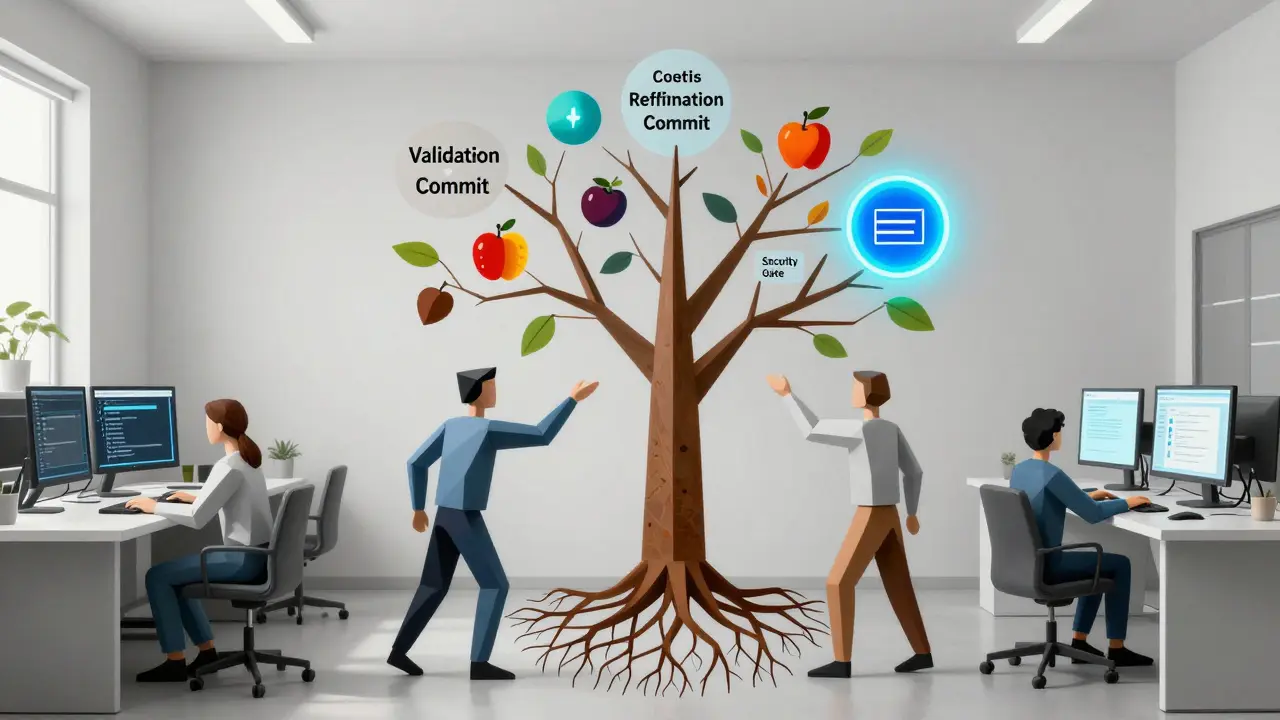
ai/refactor-payment-logic. - Validation Commit - Automated checks run: security scans (Snyk Code), style linters, and semantic analysis. If the AI changed a function signature, did it update all callers? If it added a dependency, is it approved? This stage catches 94% of vulnerabilities before a human even looks.
- Refinement Commit - A human reviews the changes. They don’t just approve. They rewrite. They add comments. They fix the "why". This is where you turn an AI-generated diff into something future-you can understand.
Companies like Shopify report a 58% reduction in review time using this method - not because they’re doing less work, but because they’re doing smarter work. The AI handles the grunt. The human handles the meaning.
Git Isn’t Broken - But It Needs Help
Most teams stick with Git. That’s fine. 92.7% of enterprise setups use it, according to Forrester. But plain Git doesn’t know what an AI commit is. That’s why teams are adding layers.
GitHub Copilot Enterprise’s "AI Commit Review" feature (released Dec 2025) tags commits with metadata: "Generated by Copilot v3.2", "Context: Refactor login flow", "Confidence: 87%". That’s useful - but not enough. The real win comes from custom hooks. Teams that write their own pre-commit scripts using tools like pre-commit or husky can enforce rules like:
- AI commits must include a
AI-Generated: yestag in the message - Commits with more than 5 changed files must be split into smaller chunks
- Any change to authentication code requires manual approval
And then there’s the AGENTS.md file. Yes, you read that right. Teams are creating plain text files in their repos that document: "Which AI tool was used here? What prompt was fed? What version?" A 2026 CRN survey found 67% of teams using this. It sounds tedious. But when a production bug surfaces, and you need to know if the AI changed how tokens were handled - having that trail saves days.
AI Diffs: The Missing Context
A diff is supposed to show you what changed. But AI diffs? They often show you everything - 200 lines rewritten, 12 files touched - with no explanation of why. That’s useless.
That’s why GitLab’s "AI Diff Assist" (Jan 2026) is a game-changer. It doesn’t just highlight changes. It flags risky ones: "This change removes error handling in a financial endpoint," or "This function call is deprecated in v4.1." It uses machine learning to compare the change against known patterns of past bugs. Accuracy? 92.7%, according to GitLab’s own tests.
But the best tool is still human judgment. The top-rated comment on Reddit’s r/programming thread (Jan 2026) says it best: "We use an ai-review branch. All AI changes go there. Automated checks run. Then a senior dev squashes them into one clean commit with a message like: \'Refactored payment processor to use new API (AI-generated, verified). Removed legacy retry logic (obsolete).\'" That’s how you turn noise into clarity.
Specialized Platforms vs. Native Git
Not everyone uses plain Git. Some teams have moved to specialized platforms like lakeFS (which bought DVC in Sept 2025) or Tabnine’s AI-aware versioning. These tools treat code and data as first-class versioned artifacts. They track not just what changed, but how it changed - including AI prompts, model versions, and even training data sources.
For machine learning teams, this is critical. A lakeFS case study with a Fortune 500 retailer showed a 52% drop in debugging time for AI-generated model updates. Why? Because they could trace a failed prediction back to the exact version of the AI model that generated the data preprocessing code - not just the code itself.
But there’s a cost. Specialized platforms add a 2.8-week learning curve. Native Git integrations? About 0.9 weeks. For most teams, the trade-off isn’t worth it - unless you’re doing heavy ML, data pipelines, or regulated work (like finance or healthcare).
Security Isn’t Optional
Snyk’s CTO put it bluntly at RSA 2026: "31% of AI-introduced vulnerabilities come from tiny changes in helper functions - the kind traditional scanners ignore."
AI doesn’t care about OWASP. It doesn’t know if that new library has a known CVE. It just sees "use this function" and writes it. That’s why every AI commit must pass through a security gate. Tools like Snyk Code now have an "Agent Fix" feature that doesn’t just scan - it generates a patch, tests it, and logs the fix as a separate commit. It’s like having a security engineer who never sleeps.
Teams skipping this? They’re gambling. A 2025 Gartner report found that teams without AI-specific security checks had 2.3x more production breaches than those with them.
What Happens When You Don’t Manage AI Commits?
Let’s say you don’t do any of this. What happens?
- Your repo gets bloated with 100+ tiny AI commits, each with vague messages like "fixed bug" or "updated logic".
- A bug appears in production. You trace it to a commit from last month. But the commit message says nothing. The diff is 300 lines. You have no idea if it was AI or a human.
- You try to roll back. But because the AI changed 12 files at once, you break three other features.
- Internal audit flags you. You can’t prove who approved the change. Compliance fails.
This isn’t hypothetical. It’s happening. The IEEE study from Jan/Feb 2026 showed that teams using unmanaged AI commits had 22% more merge conflicts than those using structured workflows.
What You Need to Start
You don’t need a fancy platform. You need discipline.
- Create an
ai-reviewbranch pattern. All AI work goes here first. - Set up automated pre-commit checks: security scan, style check, file count limit.
- Require commit messages to include: "AI-generated: yes", "Context: [brief reason]", "Reviewed by: [name]".
- Write an
AGENTS.mdfile. List which tools you’re using and where. - Train your team. The average learning curve is 18.3 hours. Don’t skip it.
And most importantly - never merge AI code directly to main. Always review. Always document. Always trace.
What’s Coming Next
By 2027, Forrester predicts 90% of enterprise version control systems will have native AI tracking. You’ll see commits tagged with confidence scores, model versions, and even prompt history. CI/CD pipelines will auto-trigger AI-specific tests. You’ll be able to ask: "Show me every change made by Copilot in the auth module last quarter." And the system will answer.
But until then? You’re the bridge. You’re the one who turns AI noise into clean, understandable, safe code. That’s not just your job. It’s your responsibility.
Do I need a special tool to manage AI commits?
No. You can manage AI commits with plain Git. What you need isn’t a new tool - it’s a process. Use branches, automated hooks, and clear commit messages. Tools like GitHub Copilot or GitLab AI Diff Assist help, but they’re optional. Discipline is mandatory.
Can I still use AI if my team is small?
Yes - but you still need structure. Even small teams benefit from the three-stage workflow: generate, validate, refine. You don’t need automation right away. Start with manual reviews and simple commit message rules. The goal isn’t speed - it’s clarity. A 5-person team that tracks AI changes properly will outperform a 50-person team that doesn’t.
What’s the biggest mistake teams make with AI commits?
Merging AI-generated code directly into main without review. It feels faster, but it’s a time bomb. You lose context. You lose traceability. You lose trust. Every AI commit should be treated as provisional - until a human says "yes."
How do I handle legacy code with AI?
Be extra careful. AI struggles with legacy systems because it doesn’t understand the hidden rules. A 2026 IEEE study found AI-generated diffs on legacy code created 22% more merge conflicts than human-written ones. Always test AI changes in isolation. Use feature flags. And never let AI touch core business logic without a senior dev double-checking every line.
Is AI version control just for engineers?
No. QA, security, compliance, and even product teams need to understand it. If you’re auditing code for regulations (like HIPAA or SEC SCI), you need to know which changes came from AI - and why they were approved. This isn’t just a dev problem. It’s a team-wide responsibility.
Nathan Pena
March 17, 2026 AT 14:19Let’s be brutally honest: if your team is still merging AI-generated commits without a validation layer, you’re not just behind-you’re a liability. The 2025 Builder.io data isn’t anecdotal; it’s a forensic report on systemic incompetence. AI doesn’t have context, it has statistical noise. And treating that noise like intentional engineering is like letting a toddler pilot a 747 and calling it ‘agile innovation.’ The three-stage workflow isn’t optional-it’s the bare minimum for any org that values its reputation, its audit trail, or its ability to sleep at night.
GitHub Copilot’s metadata tagging? Cute. But metadata without enforcement is theater. You need pre-commit hooks that reject commits lacking ‘AI-generated: yes’ and ‘Reviewed by: [name]’. No exceptions. No ‘just this once.’ The moment you allow ambiguity, you invite chaos. And chaos doesn’t care about your sprint goals.
Also, AGENTS.md? Genius. I’ve seen teams spend weeks debugging a single regression because they couldn’t trace whether the flawed logic came from Copilot v3.2 or v3.4. Documenting prompts, versions, and model IDs isn’t bureaucracy-it’s your only defense against the black box. If you’re not doing this, you’re not managing AI. You’re just hoping.
And don’t get me started on ‘small teams.’ Size doesn’t exempt you from accountability. If you’re using AI, you’re now responsible for traceability, compliance, and security hygiene. You think you’re saving time? You’re just delaying the inevitable fire drill.
Stop romanticizing automation. Start enforcing structure. Or get out of the industry.
Mike Marciniak
March 18, 2026 AT 15:19They’re lying. Every single one of them. This isn’t about ‘workflow’-it’s about control. The corporations pushing this ‘three-stage process’? They don’t want you to understand AI. They want you to depend on it. The AGENTS.md file? That’s a trail they’ll use to blame YOU when the system fails. Who gets fired when the AI-generated code breaks production? Not the vendor. Not the CTO. You. The dev who ‘approved’ it.
Snyk’s ‘Agent Fix’ feature? It’s a trap. It doesn’t fix anything. It just makes you feel safe while the AI quietly introduces a backdoor in a dependency you didn’t even know existed. The 92.7% accuracy? That’s not a feature-it’s a marketing lie. The 7.3% is where the real damage happens. And that’s exactly where they want you to look.
They’re selling you a cage and calling it a tool. The real solution? Stop using AI for production code. Period. Use it for brainstorming. Use it for documentation. But never let it touch a commit. Ever. The moment you do, you surrender your sovereignty as an engineer. And they know it.
VIRENDER KAUL
March 19, 2026 AT 11:57It is imperative to recognize that the fundamental flaw in contemporary software development practices lies in the conflation of machine-generated artifacts with human intentionality. The assertion that AI commits are ‘provisional work’ is insufficiently rigorous. One must establish immutable governance protocols wherein every AI-generated diff is subjected to a triage protocol comprising automated validation, semantic audit, and mandatory human adjudication. The absence of such a framework constitutes a critical vulnerability in the software supply chain.
Furthermore, the utilization of rudimentary commit message tags such as ‘AI-generated: yes’ is an affront to engineering professionalism. A standardized schema must be enforced, inclusive of metadata fields for model version, prompt hash, confidence interval, and revision history. Without this, traceability becomes a myth, and compliance a farce.
The notion that ‘plain Git’ is adequate is archaic. Git was not designed for probabilistic code generation. The industry must migrate toward AI-aware version control systems that treat code as a dynamic artifact, not a static snapshot. To persist with legacy tools is not pragmatism-it is negligence.
Teams that delay adoption of these protocols are not merely inefficient-they are exposing their organizations to regulatory, legal, and existential risk. The IEEE study is not a recommendation. It is a warning.
Mbuyiselwa Cindi
March 20, 2026 AT 05:07I love how this post breaks it down without the fluff. Seriously, you don’t need fancy tools-just consistency. My team started with just the ai-review branch and commit message rules, and within two weeks, our merge conflicts dropped by half. We didn’t even automate anything at first-just forced ourselves to write ‘Reviewed by: [name]’ and ‘Context: [reason]’ every time.
AGENTS.md felt silly at first, but last month when we had a weird bug in the auth flow, we traced it back to a Copilot commit from November. We found the exact prompt they used. Saved us 3 days. Honestly? I’m surprised more teams aren’t doing this.
And yes, even small teams. I work with 4 people. We don’t have a DevOps person. But we still do the three stages. It’s not about being ‘enterprise.’ It’s about not being the team that breaks production because ‘it worked on my machine.’
Also, if you’re scared of AI changing your code? Good. That means you’re paying attention. AI isn’t your replacement. It’s your assistant. And assistants need supervision.
Krzysztof Lasocki
March 20, 2026 AT 22:12Oh wow, so we’re now engineers AND librarians? ‘Please sign this form, human, before I merge the AI’s 200-line rewrite of your login function.’
Look, I get it. The AI is wild. But let’s not turn version control into a bureaucratic nightmare. I’ve seen teams spend 3 hours reviewing a 5-line change because ‘the AI did it.’ Meanwhile, the real bug was in the frontend cache. We’re not fixing code-we’re performing rituals.
Yes, document. Yes, review. But don’t turn every AI commit into a Senate hearing. The goal isn’t to create a perfect audit trail-it’s to ship good code. If your team is drowning in process, you’ve lost the plot.
Also, ‘AGENTS.md’? That’s the kind of thing that gets deleted on day 3. People are lazy. And that’s okay. We need tools that automate the boring stuff, not more docs for people to ignore.
Just make sure the automated checks are tight. Let the humans focus on the hard stuff. Not the paperwork.
Henry Kelley
March 22, 2026 AT 03:53Man I wish I’d read this 6 months ago. We just started using Copilot full time and thought ‘eh, we’ll just merge it’. Yeah. That went great. Two weeks later we had a production outage because the AI swapped out a dependency and didn’t update the import. No one noticed because the commit message was ‘fixed stuff’.
Now we use the ai-review branch, and honestly? It’s not that hard. We just add ‘AI: yes’ and ‘reviewed by’ to every message. The automated checks catch 90% of the dumb stuff. And yeah, we have an AGENTS.md file. It’s in the root. No one deletes it. We even have a little emoji next to each tool. 🤖 Copilot, 🤖 Tabnine, etc.
Also, I didn’t know about GitLab’s AI Diff Assist. Just tried it. It flagged a security thing I totally missed. Like… it literally said ‘this removes rate limiting’. I was like ‘oh shit’.
Point is: it’s not magic. It’s just discipline. And honestly? I’d rather spend 10 mins reviewing than 10 hours on a Sunday fixing a bug.
Victoria Kingsbury
March 22, 2026 AT 05:05Okay but can we talk about how wild it is that we’re now in an era where the most valuable skill isn’t writing code-it’s documenting why code was written by a machine? We’ve gone from ‘write clean code’ to ‘write clean code + log the AI prompt that generated it + tag the model version + get a senior dev to sign off’. It’s absurd. And also… kind of beautiful?
AI doesn’t care about legacy systems. But we do. And that’s why we’re still here. The AI can refactor 50 files in 3 seconds. But only a human can say, ‘Wait, this function was written in 2012 because the payment gateway had a 30-second timeout. We never fixed it because it worked. Don’t touch it.’
That’s the magic. The AI is the speed. The human is the context. And the commit message? That’s the bridge. I love that we’re finally starting to treat it like one.
Also, AGENTS.md? Yes. Let’s make it a thing. It’s like a time capsule for future devs who’ll be like ‘who the hell wrote this?’