Why Your Compressed LLM Might Fail in the Real World
You spent weeks compressing your 7B LLM down to 4-bit precision. The numbers look great: 70% smaller, 3x faster inference, barely any drop in GLUE score. You deploy it to handle customer support tickets, and suddenly it’s making up facts, missing key details in long conversations, and failing to use your internal tools properly. What went wrong?
The problem isn’t your compression technique-it’s your benchmark.
Most teams still evaluate compressed models using old-school metrics like perplexity or accuracy on standardized tests. But those numbers don’t tell you if the model can actually do anything useful in production. A model might score 92% on MMLU but still hallucinate medical advice when asked to summarize a patient’s history. That’s not a small error-it’s a liability.
Since early 2025, a new generation of benchmarks has emerged to fix this. They don’t just ask if the model knows the answer. They ask: Can it plan a workflow? Can it call an API correctly? Can it find a single critical sentence in a 100-page contract? If it can’t, then no matter how small or fast it is, it’s not ready for real use.
What Changed in LLM Benchmarking? Meet ACBench, LLMCBench, and GuideLLM
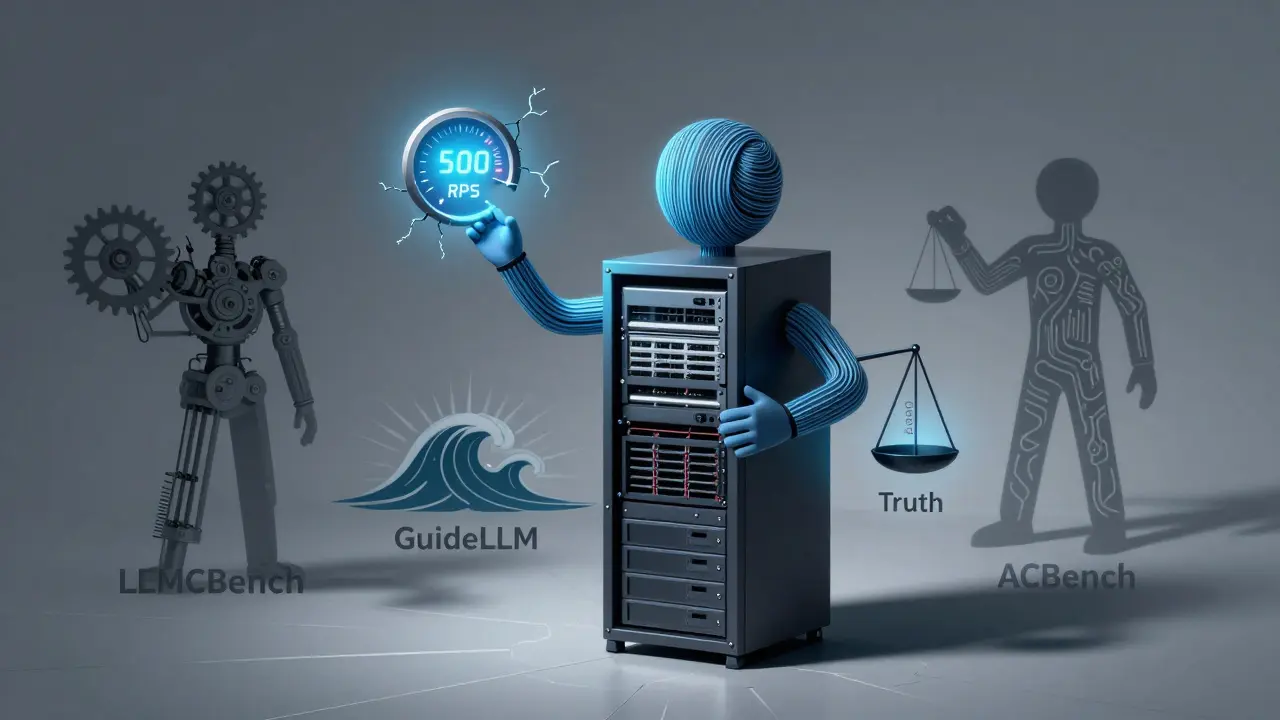
Three frameworks now dominate how teams evaluate compressed LLMs: ACBench, LLMCBench, and GuideLLM. Each tackles a different piece of the puzzle.
ACBench, launched in January 2025 by ICML researchers, is the first to focus on agent-like behavior. It tests models on 12 real-world tasks grouped into four categories: workflow planning (can it break down a task into steps?), tool use (can it call your CRM or database API?), long-context retrieval (can it find one key detail in a 128K-token document?), and real-world application accuracy (can it simulate a robot navigating a warehouse or a trader reacting to market news?).
LLMCBench, created in 2024, is the most technical. It measures everything from compression ratio to energy use. It tells you exactly how much power your model consumes per inference, how many FLOPs it needs, and whether it’s still trustworthy after compression. It’s the go-to for teams who need to compare GPTQ vs. AWQ vs. Wanda pruning side by side.
GuideLLM, open-sourced in June 2025, doesn’t care about algorithmic details. It cares about traffic. Can your compressed model handle 500 requests per second during a product launch? What happens when 10 users ask complex questions at once? GuideLLM simulates real user behavior-bursty, irregular, unpredictable-and catches failures that other benchmarks miss.
How Compression Techniques Really Perform (Spoiler: It’s Not What You Think)
Most people assume 4-bit quantization is the golden standard. It’s fast, easy, and reduces model size dramatically. But ACBench’s results show a troubling pattern: quantization works great for planning and tool use, with only a 1-3% drop in performance. But in real-world applications-like analyzing legal documents or guiding a medical diagnosis-it drops by 10-15%. That’s not noise. That’s dangerous.
Pruning techniques like Wanda and SparseGPT? They’re worse. They cut out entire neurons, which makes models brittle. In ACBench’s workflow tests, pruned models failed to generate coherent steps 22% more often than quantized ones.
And here’s the kicker: distilled models like DeepSeek-R1-Distill, which crush reasoning benchmarks, perform worse than their base models in agent tasks. Why? Because distillation optimizes for speed and accuracy on simple questions, not for handling messy, multi-step real-world workflows. You might think you’re getting a leaner, smarter model-but you’re actually losing the ability to think through problems.
LLMCBench found that OmniQuant, a new 4-bit quantization method, holds up better than others. It keeps accuracy within 2.3% of the original model across 12 benchmarks. But even OmniQuant struggles with truthfulness. In healthcare-related prompts, it started hallucinating drug interactions it had never seen in training data.

What You Need to Test Before Deployment
Don’t just pick one benchmark. Use a staged approach.
- Start with LLMCBench to compare compression methods. Run GPTQ, AWQ, and SmoothQuant on your model. Look for the one with the smallest accuracy drop and lowest energy use. Save the top 2-3 candidates.
- Move to GuideLLM. Simulate your actual traffic patterns. If your app gets bursts of requests during business hours, test with Poisson scheduling. If it’s steady, use constant rate. Watch for latency spikes at p99. If your model’s 99th percentile latency jumps from 200ms to 800ms after compression, you’re going to frustrate users.
- Finally, test with ACBench. Use your real prompts. If you’re using the model for customer service, feed it actual support tickets. If it’s for finance, use real transaction summaries. Measure how often it misses key numbers, misinterprets intent, or fails to trigger the right API call.
One fintech startup skipped Step 3. Their compressed model handled 90% of routine queries fine. But when a user asked, “What’s the tax impact if I sell half my stock and reinvest in bonds?” the model gave a generic answer with no reference to their portfolio. It didn’t even call their internal tax engine. That’s not a small error-it’s a compliance risk.
Real-World Failures and How to Avoid Them
Developer @ml-engineer-2025 on GitHub said they wasted two months on GPTQ because it looked great on LLMCBench. Then ACBench showed it failed 37% of the time when calling their internal CRM API. They switched to AWQ and saw accuracy jump to 94%.
Another team at a gaming company used GuideLLM and discovered their compressed model could handle 50 concurrent users-but collapsed at 65. They thought they were safe. Turns out, during live events, users flooded the chat with rapid-fire questions. GuideLLM’s burst simulation caught it. They added a request queue and reduced concurrency limits.
The biggest mistake? Assuming a model that works on a test set will work in production. ACBench’s ERank tool helps here. It tells you which layers of your model are most critical. If you prune the attention layers responsible for long-context recall, your model will forget key details. If you compress the tool-use layers, it won’t interact with your systems. ERank shows you where not to cut.
Hardware, Setup, and Hidden Costs
Running these benchmarks isn’t free. LLMCBench needs at least 40GB of VRAM-so you need an NVIDIA A800 or H100. If you’re on consumer GPUs, you’re out of luck. ACBench requires you to write 12 custom evaluators. That’s a 2-week project for a small team. GuideLLM is easier: you can run a basic test in 4 hours.
Don’t underestimate data preparation. ACBench’s real-world application tests need custom datasets. If you’re using the model for healthcare, you need real (anonymized) patient notes. For legal, you need contracts. Most companies don’t have these. You’ll need to build them.
And then there’s the hidden cost: time. Teams that use only one benchmark end up redeploying twice. Those that use the three-stage approach? They deploy once-and get it right.
What’s Next? The Future of LLM Benchmarking
By 2027, benchmarking won’t be a one-time check. It’ll be continuous. The Open Compression Benchmarking Alliance, launching in Q2 2026, is pushing for industry-wide standards. NVIDIA and Meta are already building tools that monitor compressed models in production and alert you when accuracy drops below a threshold.
Regulations are catching up too. The EU AI Act now requires companies to document performance degradation after compression for high-risk uses like healthcare or finance. If you can’t prove your model still works after optimization, you can’t deploy it.
For now, the rule is simple: if you’re compressing a model that does anything important-customer service, legal analysis, medical triage, financial advice-you need to test it like it’s going to be used in the real world. Not like it’s a math problem.
Key Takeaways
- Traditional benchmarks (GLUE, MMLU) don’t predict real-world performance. Never rely on them alone.
- 4-bit quantization (AWQ > GPTQ) preserves tool use and planning well but hurts accuracy in complex, domain-specific tasks.
- Pruning and distillation often hurt reasoning more than they help efficiency.
- Use a three-stage approach: LLMCBench (algorithmic), GuideLLM (deployment), ACBench (agent capability).
- Always test with your own real prompts-not synthetic ones.
- Start small. Pick one high-impact use case. Test it thoroughly. Then scale.
What’s the difference between quantization and pruning for LLM compression?
Quantization reduces the precision of weights-like going from 32-bit floating point to 4-bit integers. It keeps all the original connections but makes each one smaller. Pruning removes entire neurons or weights that the model doesn’t use much. Quantization is faster and more predictable; pruning can shrink models further but often breaks reasoning paths. ACBench shows quantization preserves tool use better, while pruning leads to more failures in multi-step workflows.
Can I use Hugging Face to benchmark compressed models?
Yes, but with limits. LLMCBench integrated with Hugging Face’s Optimum library in late 2025, so you can now run basic compression benchmarks directly from the Hub. But these only measure size and speed. They won’t test tool use, long-context recall, or real-world accuracy. For that, you still need ACBench or GuideLLM.
Is 4-bit quantization always the best choice?
No. For simple tasks like classification or short Q&A, yes. For agent tasks involving planning, external tools, or long documents, 4-bit often degrades performance by 10-15%. In some cases, a slightly larger 8-bit model performs better overall. Always test against your actual use case-not just the compression ratio.
Why do distilled models perform worse in agent tasks?
Distillation trains a smaller model to mimic a larger one’s outputs, but it optimizes for speed and accuracy on simple questions. Agent tasks require internal reasoning, step-by-step planning, and handling ambiguity-skills that get lost in the distillation process. ACBench found distilled models like DeepSeek-R1-Distill had up to 22% lower accuracy in workflow generation than their non-distilled versions, even though they scored higher on reasoning benchmarks.
How do I know if my model is ready for production?
If it passes all three benchmarks-LLMCBench for efficiency, GuideLLM for traffic resilience, and ACBench for real-world capability-and your team has tested it with 500+ real prompts with no more than a 5% accuracy drop in critical tasks, then yes. If any one of those fails, keep refining. Deploying a compressed model without this validation is like flying a plane without checking the fuel gauge.
Next Steps
Start with one use case. Pick a task your model already handles-customer support, document summarization, or data extraction. Gather 100 real examples. Run them through your compressed model using ACBench’s WorkflowBench and Tool Use tests. Compare results to the original model. If accuracy drops more than 5%, try AWQ instead of GPTQ. If latency spikes under load, run GuideLLM. Don’t skip the real-world test. Your users won’t care how small your model is. They’ll only care if it works.
Ashley Kuehnel
February 1, 2026 AT 19:28adam smith
February 2, 2026 AT 21:15Mark Nitka
February 4, 2026 AT 01:23Kelley Nelson
February 4, 2026 AT 23:18Aryan Gupta
February 5, 2026 AT 06:42Fredda Freyer
February 5, 2026 AT 16:27Denise Young
February 6, 2026 AT 11:29Sam Rittenhouse
February 7, 2026 AT 18:20Peter Reynolds
February 9, 2026 AT 02:37