You type a sentence into your IDE. In less than a second, the code appears, tests run, and bugs are flagged. This isn't magic; it's Vibe Coding is an AI-assisted development paradigm where you describe intent in natural language, and large language models generate, modify, and test the code for you. But here’s the catch: this workflow feels sluggish if your hardware can’t keep up. The term, popularized by Andrej Karpathy in early 2025, describes a shift from line-by-line implementation to high-level steering. If you’re waiting five seconds for every suggestion, the "vibe" breaks. You lose flow. To fix that, you need specific hardware trends-GPUs, NPUs, and Edge AI-to accelerate the feedback loop.
| Hardware Type | Primary Use Case | Key Metric | Example Device |
|---|---|---|---|
| Desktop GPU | Local hosting of 7B-70B parameter LLMs | VRAM & Memory Bandwidth | NVIDIA RTX 4090 (24 GB) |
| Laptop NPU | Low-power inline suggestions & refactoring | TOPS (Trillions of Operations Per Second) | Snapdragon X Elite (45 TOPS) |
| Edge AI Module | Embedded agents on robots/IoT gateways | Performance per Watt | NVIDIA Jetson Orin Nano |
The Desktop Powerhouse: Why GPUs Still Rule Local Inference
If you want true control over your vibe coding experience without relying on cloud APIs, you need a serious GPU. The NVIDIA GeForce RTX 4090 is a high-end consumer graphics card with 24 GB of GDDR6X memory and ~82.6 TFLOPS FP32 compute remains the gold standard for individual developers. Why? Because running a 70-billion-parameter model locally requires massive video RAM. The RTX 4090 offers 24 GB, which allows you to load larger context windows. This means the AI can see more of your codebase at once, leading to smarter suggestions.
But raw power isn't enough. You need bandwidth. The RTX 4090 delivers roughly 1 TB/s of memory bandwidth. This speed ensures that when you ask the AI to refactor a function, the data moves fast enough to feel instantaneous. Many developers pair this with frameworks like CUDA and cuDNN to optimize inference. Without these optimizations, even a powerful GPU might stutter. The goal is to minimize latency between your prompt and the generated code. If you’re working on small teams, sharing a workstation with an RTX 4090 lets multiple agents stream tokens simultaneously, keeping everyone in the flow state.
NPUs: Bringing Vibe Coding to Your Laptop
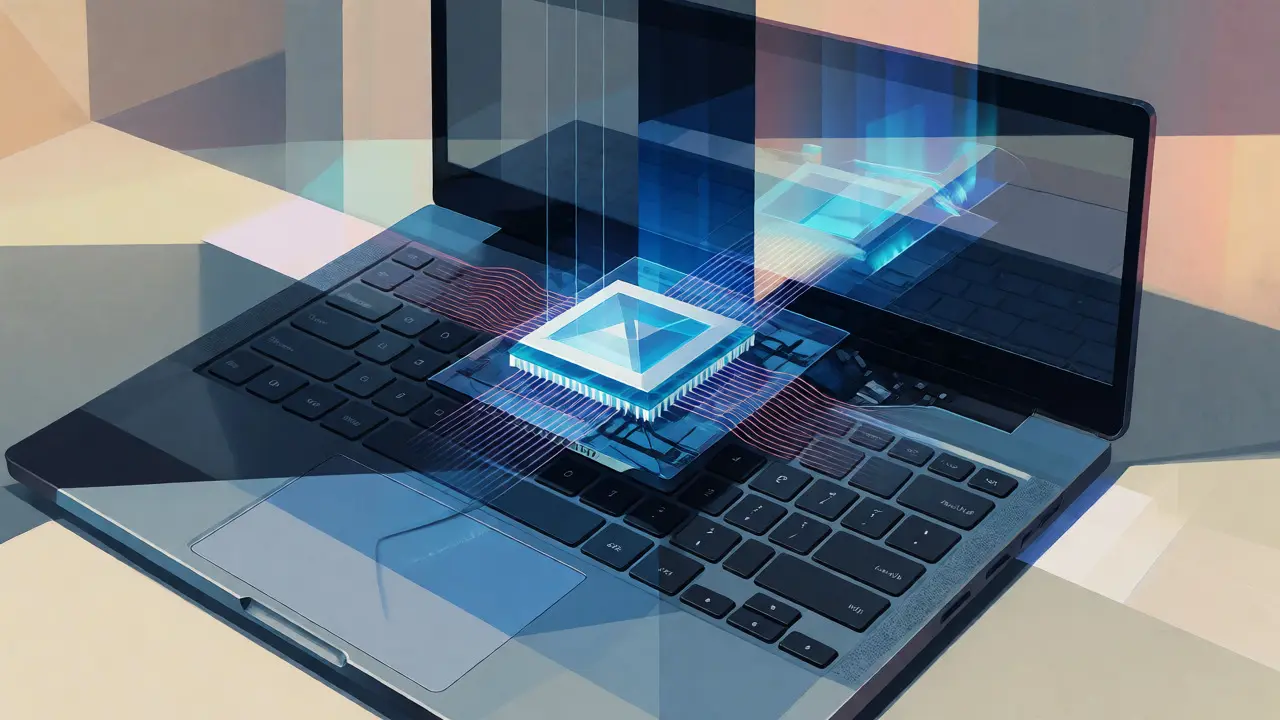
Not everyone wants to sit tethered to a desktop tower. Enter the Neural Processing Unit (NPU). These specialized chips are designed for low-power matrix operations, making them perfect for laptops. Microsoft’s Copilot+ PC initiative set a benchmark: any device labeled as such must have an NPU capable of at least 40 TOPS. This threshold matters because it determines whether your laptop can handle continuous AI assistance without draining the battery in two hours.
Qualcomm Snapdragon X Elite is a mobile platform featuring a Hexagon NPU rated at 45 TOPS INT8 stands out in this space. Tests show it sustains around 43.8 TOPS during heavy workloads while drawing only 8-12 watts. That efficiency is critical. It means you can keep your coding assistant running all day on battery power. Compare this to older Intel Core Ultra designs, where the NPU alone often hovered around 10-11 TOPS. While Intel markets combined CPU+GPU+NPU scores higher, the dedicated NPU performance gap is significant for real-time tasks.
Why does this matter for vibe coding? Inline suggestions. When you’re typing, you don’t want to wait for a cloud round-trip. A capable NPU runs a smaller, distilled model locally to predict your next few lines or suggest variable names instantly. It’s not about replacing the big desktop model; it’s about reducing friction. If your laptop NPU is too weak, the OS offloads tasks to the CPU or GPU, causing heat and fan noise. A strong NPU keeps things cool and quiet, preserving the mental clarity needed for complex logic.
Edge AI: Coding Where the Data Lives
Vibe coding isn’t just for web apps. Think about robotics, IoT devices, or industrial controllers. Here, you can’t always rely on cloud connectivity. You need Edge AI modules like the NVIDIA Jetson Orin Nano, which deliver up to 40-67 TOPS in a compact form factor. These boards allow you to deploy coding agents directly on the device. Imagine telling a robot arm, "Move slower when picking up fragile objects," and having the onboard AI rewrite its motion parameters in real-time.
The NVIDIA Jetson Orin Nano Super offers 67 sparse INT8 TOPS for under $250, a massive improvement in price-to-performance ratio. Previously, getting this level of compute required expensive enterprise gear. Now, hobbyists and engineers alike can experiment with on-device LLMs. However, there’s a caveat. Software stack maturity often lags behind hardware specs. As noted by benchmarkers like Eric X. Liu, actual throughput can be lower than advertised due to memory bandwidth limits and quantization constraints. You can’t just throw a 70B model on a Jetson; you need optimized, quantized versions (like INT8) that fit within the 8 GB LPDDR5 memory budget.
Google’s Edge TPU is another player, though it targets lighter workloads. With 4 TOPS and ultra-low power consumption (0.5 W/TOPS), it’s ideal for micro-agents that handle simple automation scripts or sensor data transformation. It won’t write your entire backend, but it can configure pipelines via natural language rules. For embedded systems, this micro-scale vibe coding reduces the need for manual re-flashing of firmware, speeding up iteration cycles in hardware-heavy projects.
Balancing Cloud and Local Compute
Most developers won’t buy a $1,600 GPU or a new $1,000 AI laptop tomorrow. So, how do you get started? You likely use a hybrid approach. Cloud GPUs, like the NVIDIA H100 Tensor Core GPU based on the Hopper architecture, power the heavy lifting for complex reasoning tasks. Services like GitHub Copilot or Cursor leverage these data center giants to analyze entire repositories. The market for data center GPUs is exploding, projected to grow from $14.48 billion in 2024 to nearly $190 billion by 2033. This growth reflects the demand for scalable inference.
But relying solely on the cloud introduces latency and privacy concerns. Every keystroke sent to a server adds delay. That’s why local hardware trends are so important. They enable a tiered strategy: use your local NPU for quick completions and syntax checks, and offload complex architectural questions to the cloud. This division of labor keeps the interaction snappy. If your local hardware is weak, you’ll notice the lag. If it’s strong, the transition between local and cloud feels seamless.
There’s also a governance angle. When AI generates code quickly, it’s easy to skip testing. Hardware acceleration makes it trivially easy to produce thousands of lines of code in minutes. But quantity doesn’t equal quality. You still need rigorous unit tests and security reviews. The speed of generation shouldn’t trick you into bypassing validation. Use the extra time saved by hardware acceleration to deepen your testing suite, not to cut corners.
Pitfalls and Practical Tips
Before you rush out to buy the latest chip, consider the software ecosystem. Driver maturity is a real issue. Early Copilot+ PCs faced latency problems fixed by BIOS updates released in mid-2024. Antivirus software scanning AI libraries can also introduce significant delays. If your vibe coding feels choppy, check your background processes. Sometimes, the bottleneck isn’t the NPU; it’s Windows Defender interrupting the inference engine.
Another pitfall is model size mismatch. Don’t try to run a 70B parameter model on a laptop with 16 GB of unified memory unless you’re prepared for slow swaps. Start with smaller, highly tuned models (7B-13B) that fit comfortably in VRAM or system RAM. Tools like Ollama or LM Studio make this easy. They let you swap models on the fly to find the right balance between intelligence and speed.
Finally, remember that vibe coding is a skill, not just a tool. It requires learning how to phrase prompts effectively. Hardware gives you the speed to iterate, but your ability to steer the AI determines the outcome. Treat the AI as a junior developer who types incredibly fast but needs clear direction. Your job is to review, refine, and integrate, not just accept.
Do I need a dedicated GPU for vibe coding?
No, but it helps significantly for local models. If you rely on cloud-based tools like GitHub Copilot, a modern CPU and decent internet connection suffice. However, for private, offline, or low-latency workflows, a GPU with at least 12-16 GB of VRAM is recommended to run local LLMs smoothly.
What is the minimum NPU requirement for good vibe coding?
Microsoft sets 40 TOPS as the baseline for Copilot+ PCs. Devices meeting or exceeding this threshold, such as those with Qualcomm Snapdragon X Elite chips, provide sufficient performance for real-time inline suggestions and background code analysis without excessive battery drain.
Can edge devices run vibe coding agents?
Yes, using modules like the NVIDIA Jetson Orin Nano. These devices can host quantized, smaller LLMs (e.g., 3B-7B parameters) to perform local automation and scripting tasks. Success depends on optimizing models for the limited memory and power budget of the edge device.
Does faster hardware guarantee better code quality?
No. Faster hardware reduces latency and improves the developer experience, allowing for quicker iterations. However, code quality still depends on the quality of the prompt, the underlying model, and human oversight through testing and code review.
How does memory bandwidth affect vibe coding performance?
Memory bandwidth determines how fast the AI can access model weights and context data. High bandwidth (e.g., ~1 TB/s on an RTX 4090) prevents bottlenecks during token generation, ensuring that responses appear instantly rather than streaming slowly character-by-character.
Liam Whelan
October 1, 2026 AT 12:39ugh my laptop fans sound like a jet engine taking off whenever i try to run anything local :(
is it just me or is windows defender really eating up all the resources? i feel like every time i type a prompt the whole system freezes for a sec. its annoying af
Mithilesh Singh
October 2, 2026 AT 23:27This article is clearly biased towards Western hardware manufacturers. Why are we ignoring the progress made by indigenous chipsets in India and China? The reliance on NVIDIA creates a monopoly that stifles global innovation. We must support local ecosystems before they become obsolete due to foreign dominance. It is not just about speed; it is about sovereignty over our own digital infrastructure.
Ejike Ugwu
October 4, 2026 AT 02:25Wake up sheeple. They want you buying these expensive GPUs so they can track your keystrokes. You think that 'local' inference is actually local? Nope. Your NPU sends metadata back to the cloud every few seconds. I checked the packet captures myself. The vibe coding trend is just a Trojan horse for total surveillance of developer intent. If you aren't running air-gapped, you're already compromised. Don't let them steal your flow state with their spyware chips.
Elizabeth Calwell
October 5, 2026 AT 15:38Love this breakdown! Really helpful for understanding where to invest next. I've been struggling with latency on my older setup but the tiered strategy mentioned here makes so much sense. Keep those batteries running high everyone!
Kathleen Johnson
October 7, 2026 AT 12:45The analysis lacks depth regarding thermal throttling on mobile NPUs under sustained loads. Merely citing TOPS ratings is misleading without context on power consumption curves. Furthermore, the dismissal of Intel's combined scores ignores architectural differences in memory hierarchy. A lazy critique of the current market landscape.
jyotshna Senapati
October 9, 2026 AT 02:49I find it fascinating how everyone assumes we all have the budget for an RTX 4090. Not everyone lives in the US or has access to such luxury items. It feels a bit out of touch to suggest this is the standard for good coding. Maybe consider the economic disparity when discussing 'standard' workflows?
Sundaraiah Kollipara
October 9, 2026 AT 05:21the idea of steering code rather than writing it changes the fundamental nature of programming... are we losing the craft or evolving it
i wonder if the loss of manual typing affects muscle memory and deep understanding of syntax over time
hardware acceleration is great but does it distract from the logical structure?
we need to balance speed with comprehension
what do others think about the long term impact on junior devs learning basics?
Shaina Silver-Baird
October 9, 2026 AT 14:44The claim that local NPU processing ensures privacy is technically inaccurate. Most modern drivers communicate with vendor servers for telemetry and model updates. Unless one completely disables network connectivity and modifies driver behavior, data exfiltration remains a risk. One should verify the specific privacy policies of each chipset manufacturer before assuming true isolation.
Sabrina Silvani
October 9, 2026 AT 16:14Speed without direction is chaos. The hardware provides the velocity but the human provides the vector. If we treat AI as a junior dev we must also provide the mentorship which requires patience not just processing power.
We risk becoming managers of code rather than creators of logic. This shift demands new skills in prompt engineering and validation rigor. The tool is neutral but our dependency on it is a choice.