Trying to refactor a codebase across 20+ files without breaking anything? You’re not alone. Single prompts from AI tools like GitHub Copilot often fail when changes ripple through interconnected files-missing a dependency here, breaking a contract there. The result? Broken builds, angry teammates, and hours of manual fixes. But there’s a better way: prompt chaining.
Why Single Prompts Fail at Multi-File Refactors
Ask an AI to "update all API endpoints to use environment variables" across 15 files, and it might change 8 of them correctly. The other 7? It misses one because it didn’t see the shared utility module. Or worse-it changes a file that’s imported by a third-party library you didn’t realize was still in use.
That’s not laziness. It’s a fundamental limit. Large language models (LLMs) work with limited context windows-usually 4,096 to 8,192 tokens. That’s enough for one file, maybe two. But when your refactor touches files that reference each other across folders, the AI loses track. This isn’t a bug. It’s how these models are built.
Leanware’s 2025 study of 57 enterprise codebases found that single-prompt refactors had a 68% failure rate when crossing more than three files. Manual refactoring took longer, sure-but it was more reliable. That’s where prompt chaining steps in.
What Is Prompt Chaining?
Prompt chaining isn’t just sending multiple prompts. It’s a structured workflow where each step builds on the last, with clear handoffs and verification points. Think of it like an assembly line for code changes: analyze, plan, execute, verify.
The most proven pattern is called Extract → Transform → Generate (ETG), documented by Prompts.chat in 2024:
- Extract: Ask the AI to map dependencies. "List all files that import UserAuthService and describe how they use it."
- Transform: Ask it to design the change. "Refactor all instances of hardcoded API keys to use environment variables. Maintain backward compatibility with legacy clients. Output a step-by-step plan."
- Generate: Ask it to produce the actual code. "Apply this plan to files A, B, and C. Output only the diffs."
Each step uses the output of the previous one as context. No more guessing. No more missing files. And crucially-each step can be reviewed before moving on.
How It Works in Practice
Here’s how a real team used prompt chaining to migrate from class-based React components to functional components with hooks across 47 files.
First, they used CodeQL to generate a dependency graph. Then they broke the job into chunks: 5-7 files per chain segment, grouped by shared imports. One chain handled all components using AuthContext. Another handled form handlers. A third handled API service wrappers.
For each segment, they ran this three-step chain:
- Analysis prompt: "Which files import AuthContext? What methods are called on it? Are there any side effects?"
- Plan prompt: "Convert each class component using AuthContext into a functional component using useContext. Preserve all state logic and event handlers. Flag any files that need additional changes."
- Code prompt: "Generate the exact diff for each file. Do not add new comments or formatting changes."
After each segment, the team reviewed the diffs in Git. They ran tests. Only then did they commit and move to the next group.
The result? 3 weeks of manual work cut to 4 days. Zero broken builds. No hotfixes after deployment.

Tools That Make It Work
You don’t need to build this from scratch. Three frameworks dominate in 2026:
| Framework | Best For | Success Rate (Multi-File) | Dependency Mapping Accuracy | Documentation Quality |
|---|---|---|---|---|
| LangChain v0.1.16 | JavaScript, TypeScript | 78% | 94% | 4.6/5.0 |
| Autogen v0.2.6 | Python, ML pipelines | 75% | 89% | 4.1/5.0 |
| CrewAI v0.32 | Multi-agent workflows | 71% | 76% | 3.8/5.0 |
LangChain leads for web apps because of its new FileGraph feature, introduced in January 2026. It auto-detects imports across files and builds a dependency map without you lifting a finger. Autogen wins in Python-heavy environments, especially where AI agents need to coordinate across data pipelines. CrewAI is powerful but harder to debug-its documentation still has gaps.
And don’t forget GitHub’s own code graph. Microsoft announced at Build 2026 that Autogen will now pull real-time dependency data directly from GitHub’s code graph. That means even complex monorepos will be easier to refactor without manual mapping.
When It Goes Wrong
Prompt chaining isn’t magic. It fails when:
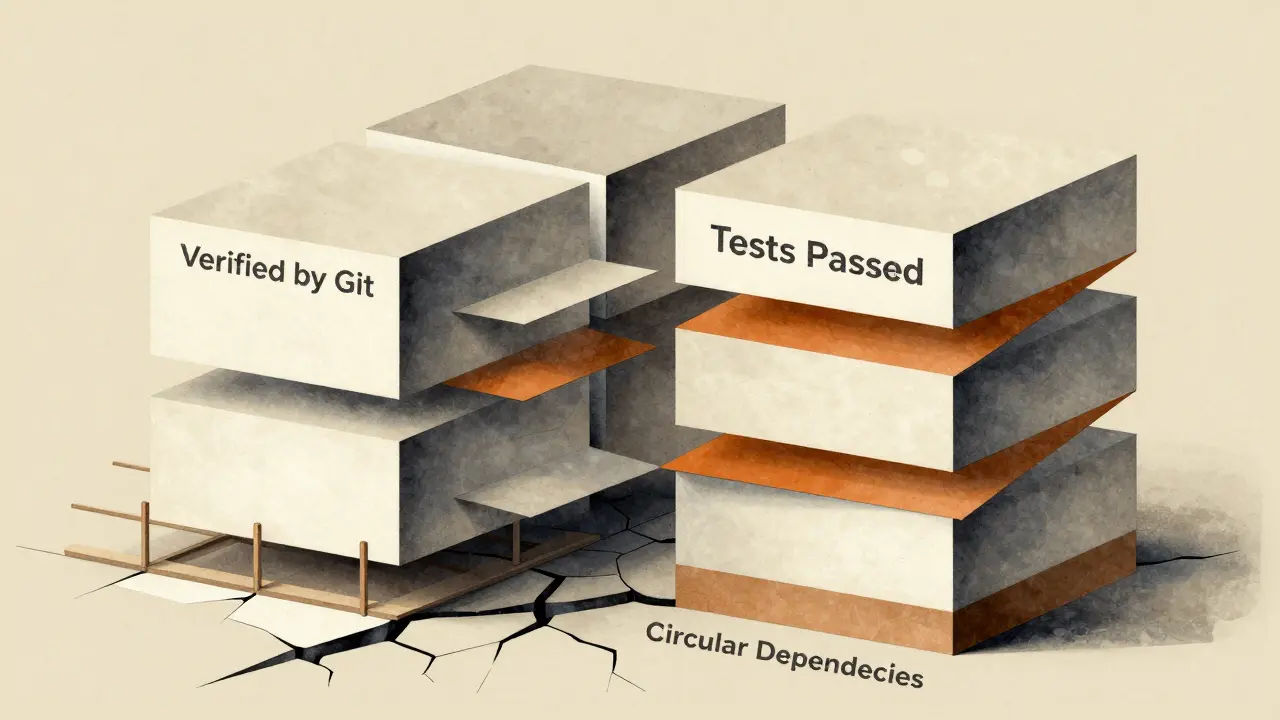
- You ignore circular dependencies. If File A imports File B, and File B imports File A, the chain gets stuck. Solution: Generate temporary stubs to break the loop.
- You skip verification. One Hacker News user reported a payment module broke because the chain renamed a utility function but didn’t catch that a third-party library used it. Always run tests after each segment.
- You overload the context window. Trying to refactor 15 files at once? Split them. 5-7 is the sweet spot.
- You trust the AI too much. Dr. Margaret Lin’s 2025 Stanford study found 28% of chained refactorings created superficial changes that hid deeper architectural flaws. A renamed variable might look fine-but if it breaks a contract with an external service, you’re in trouble.
Dr. Sarah Chen from Microsoft says the most successful teams use a four-phase approach: dependency mapping, constraint validation, incremental transformation, and cross-file verification. Skip one phase, and failure risk jumps 300%.
Who Should Use This?
Prompt chaining isn’t for every refactor. It’s overkill for changing a single config file. But it’s essential when:
- You’re migrating frameworks (React class → functional, AngularJS → Angular, etc.)
- You’re replacing hardcoded secrets, API keys, or URLs across the codebase
- You’re upgrading dependencies that break interfaces (e.g., upgrading a library that changed its method signatures)
- You’re modernizing legacy code with poor documentation
Enterprise adoption is growing fast. Forrester’s 2025 survey found 78% of teams with codebases over 500k lines use prompt chaining for major refactors. The biggest drivers? Security hardening and framework upgrades.
But it’s not just for big companies. Individual devs use it too-especially when modernizing personal projects. One Reddit user saved 3 weeks of work refactoring a React app with 47 files. Another used it to clean up a 10-year-old Python script that had been patched 47 times.
How to Get Started
Here’s a 4-step plan to start using prompt chaining safely:
- Map your dependencies. Use CodeQL, Sourcegraph, or even a simple grep + tree command to find which files are connected. Don’t guess.
- Break the job into chunks. Group files by shared imports or features. 5-7 files per chain segment is ideal.
- Build your chain templates. Write reusable prompts for analysis, planning, and generation. Save them as .txt files.
- Integrate with Git. Every output must be a diff. Review it. Test it. Commit it. Then move on.
Start small. Pick one feature module. Run one chain. See how it goes. Then scale.
The Future
By 2027, AI agents may auto-execute entire refactors without human input. But we’re not there yet. Gartner predicts mainstream adoption won’t happen until then-mainly because verification is still manual.
Right now, the best tool is still a human who knows their codebase. Prompt chaining doesn’t replace developers. It frees them from repetitive, error-prone work so they can focus on the hard problems: architecture, edge cases, and long-term maintainability.
As Leanware’s CTO said at the 2025 Prompt Engineering Summit: "Version control isn’t optional. It’s your safety net. Every change must be reviewable before it’s final."
Can prompt chaining work with legacy codebases like COBOL?
Prompt chaining struggles with legacy systems like COBOL because they lack clear structure and modern dependency tracking. IBM’s Mainframe Journal reported dependency mapping accuracy drops to 38% in COBOL environments. These systems often rely on implicit file links and undocumented conventions that LLMs can’t infer. For COBOL, manual refactoring with static analysis tools is still more reliable.
Do I need to learn a new tool to use prompt chaining?
No. You can start with just your terminal and a good LLM interface like ChatGPT or Claude. But for serious multi-file work, tools like LangChain or Autogen automate the chaining process, manage context, and generate diffs automatically. They’re not required-but they reduce errors and save time.
How do I handle circular dependencies in my code?
When two files import each other, the chain gets stuck. The fix: generate temporary stubs. For example, if File A and File B depend on each other, create a placeholder version of File B that just exports the needed function or class. Run the refactoring on File A first, then replace the stub with the real, refactored File B. It’s a manual step, but it breaks the loop safely.
Is prompt chaining faster than manual refactoring?
Yes, but only if you’re refactoring across more than 5 files. Leanware’s 2025 study showed prompt chaining cut refactor time by 37% compared to manual work. For small changes, manual is still faster. But for enterprise-scale changes-like updating 100+ files to use environment variables-it saves weeks of work.
What’s the biggest risk of using prompt chaining?
The biggest risk is overconfidence. AI can make changes that look correct but miss hidden dependencies-like a third-party library that uses a renamed function. Always verify with tests. Always review diffs. Never commit without checking. The goal isn’t automation-it’s safe, reliable change.
Can I use prompt chaining on private repositories?
Yes. Tools like LangChain and Autogen run locally or on your own servers. You don’t need to send your code to public APIs. For maximum security, use self-hosted LLMs like Llama 3 or Mistral with local RAG pipelines. Many enterprises require this for compliance.
How long does it take to learn prompt chaining?
If you already know how to write good prompts and understand your codebase’s structure, you can start using prompt chaining in 2-3 weeks. Start with a small, safe refactor-like renaming a utility function across 5 files. The learning curve isn’t steep. The risk of breaking things is low if you follow the verification steps.
Does prompt chaining work with all programming languages?
It works best with languages that have clear syntax and dependency structures: JavaScript, Python, Java, TypeScript. It struggles with dynamically typed or poorly documented code. Ruby and PHP work, but with lower accuracy. COBOL, Fortran, and assembly are not viable targets. Always test on a small scale first.
Final Thought
Prompt chaining turns chaos into control. It doesn’t make AI your boss-it makes it your assistant. You still own the decisions. You still review the changes. You still run the tests. But now, you’re not doing the boring, repetitive work. You’re focusing on what matters: building software that lasts.
Honey Jonson
January 19, 2026 AT 05:40now i just do extract → transform → generate and it feels like having a coworker who actually reads the whole codebase
thank you for this
Sally McElroy
January 20, 2026 AT 12:58Destiny Brumbaugh
January 21, 2026 AT 18:53we used to just rewrite it from scratch in a weekend
what happened to us
Sara Escanciano
January 23, 2026 AT 17:40Elmer Burgos
January 24, 2026 AT 05:06took me 3 days instead of 2 weeks
the key is splitting into small chunks and always reviewing diffs
also dont skip testing
just do it step by step and youll be fine
Antwan Holder
January 24, 2026 AT 22:12Once, we wrote code with our hands, our minds, our sweat. Now we whisper sweet nothings to a machine and call it ‘refactoring’.
What happened to the art of understanding? The patience of tracing dependencies by hand? The quiet pride of fixing a bug because you *knew* the code, not because a bot told you where to click?
This isn’t progress-it’s surrender.
And yet... I still use it.
Because I’m tired.
And I have a deadline.
And I miss the days when code was sacred, not transactional.