When you tell an AI, "Store user info", it doesn't ask for details. It grabs everything: email, phone number, birthdate, location, even the IP address you used to sign up. That’s not a bug-it’s how vibe coding works. And if you’re building a SaaS app this way, you’re probably storing way more data than you need. Worse, you might be breaking the law.
Why Vibe Coding Creates Data Retention Problems
Vibe coding lets developers describe what they want in plain language. No need to write SQL queries or define database schemas. Just say: "Let users log in and save their preferences". The AI generates the code. Sounds efficient? It is-until you realize the AI doesn’t know what "preferences" means legally. In traditional development, engineers map data fields one by one. They ask: "Do we really need this?" In vibe coding, the AI assumes "better safe than sorry." A 2024 study by Gartner found that 89% of early vibe-coded apps collected 3.2 times more user data than necessary. That’s not optimization-it’s accidental overreach. And it’s not just storage costs. It’s compliance. GDPR, CCPA, and the new EU AI Act (effective February 2026) require data minimization. You can’t keep data just because you can. You must have a clear reason-and delete it when that reason ends. Most vibe-coded apps fail this test because the AI didn’t get clear instructions.What You Must Keep (and Why)
Not all data is dangerous. Some is essential. Here’s what you should keep:- Email addresses-for authentication and account recovery. But only if you need them to log users in.
- Hashed passwords-never plain text. Use bcrypt or Argon2.
- Transaction records-for billing, receipts, and audit trails. Keep these for 7 years if you’re in the EU.
- Consent logs-when and how a user agreed to data collection. This is your legal shield.
- Full names (unless required for legal identity verification)
- Phone numbers (unless for two-factor auth)
- Location history
- Device fingerprints
- Behavioral tracking data (clicks, scrolls, session duration)
What You Must Purge (and When)
Retention isn’t just about what to keep-it’s about when to kill it. Set automatic deletion rules based on purpose, not convenience:- Session data-delete after 24 hours unless the user is actively logged in.
- Temporary uploads (e.g., profile pictures during setup)-purge after 7 days if not confirmed.
- Unused account data-if a user hasn’t logged in for 12 months, delete everything except legal records.
- Analytics data-aggregate and anonymize after 30 days. Don’t store raw event logs.
How to Build a Retention Policy Into Your Prompts
The biggest mistake? Thinking compliance is a post-build task. It’s not. It’s part of your prompt. Here’s how to write better prompts:"Collect only email and hashed password for authentication. Do not store name, phone, or location. Delete all user data 30 days after account deletion. Comply with GDPR Article 5."Compare that to:
"Store user info."The first one gives the AI boundaries. The second one gives it freedom-and freedom is dangerous. Replit’s Secure Vibe Coding guide recommends using this exact structure:
- Specify what data to collect
- State the purpose
- Define the retention period
- Name the regulation (GDPR, CCPA, etc.)

Tools That Help You Stay Compliant
You can’t rely on memory or manual checks. You need automation:- Replit RetentionGuard-scans AI-generated code for excessive data collection and suggests fixes. Reduced setup time by 68% in beta.
- Appwrite Security Framework-flags hidden data endpoints and auto-tags PII.
- SAST tools-static analysis tools like Semgrep or CodeQL scan your codebase for unapproved data fields. Run them weekly.
- Cloud Lifecycle Policies-automatically delete files in S3 or Google Cloud after X days.
The Hidden Risks You Can’t See
Most developers think: "I didn’t ask for it, so it’s not there." Wrong. Appwrite’s security audit found that 63% of vibe-coded apps had hidden data collection points-endpoints the AI added because it "thought it might be useful." These aren’t in your docs. They’re not in your logs. They’re just… there. And when regulators audit you? They don’t care if you "didn’t know." They check the code. They scan the database. They find the extra field labeled "user_birthday_v2" and fine you. Even worse: 78% of vibe-coded apps lack proper documentation of data flow changes after AI updates. So you can’t even explain what changed-or why.How Vibe Coding Compares to Traditional SaaS
| Feature | Traditional SaaS | Vibe-Coded SaaS | |--------|------------------|-----------------| | Data collection design | Manual, intentional | AI-generated, default-max | | Compliance rate (2024) | 92% | 31% | | Policy update speed | 2-4 weeks | 3-5 days | | Audit trail quality | High | Low (78% incomplete) | | Storage cost savings | 10-15% | 37-52% (with proper policy) | | Risk of over-collection | Low | Very High | Traditional development is slower, but safer. Vibe coding is fast, but risky-unless you lock down retention from day one.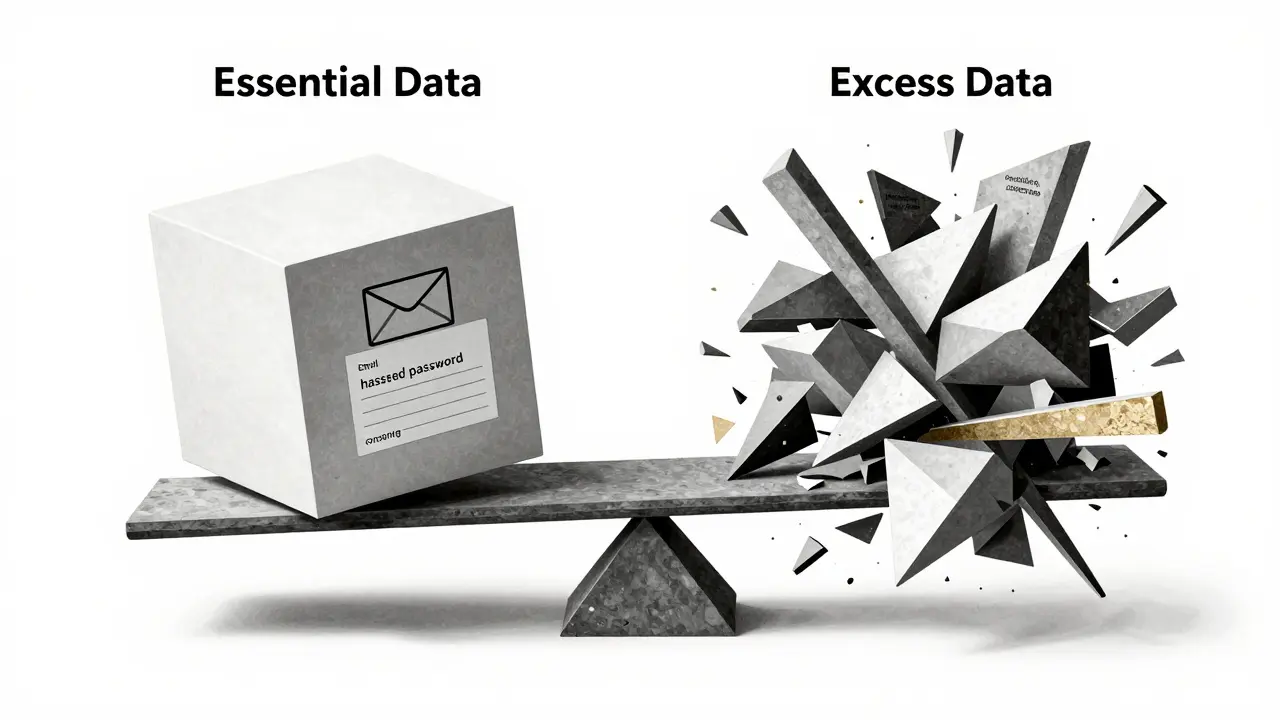
What Happens If You Ignore This?
Fines aren’t the only cost. Reputation is worse. Capterra reviews show vibe-coded SaaS apps average 3.2 out of 5 stars for security-nearly a full point lower than traditionally built apps. Users notice when apps feel "creepy." They leave. They post on Reddit. They file complaints. One user wrote: "My first vibe-coded app collected my birthdate and phone number because I said 'store user info.' Now I pay $2,300/month to fix it. I’ll never do this again." And with the EU AI Act now in force, fines can hit up to 7% of your global revenue. For a small SaaS startup? That’s game over.How to Start Today
You don’t need a legal team. You don’t need to rewrite your app. Just do this:- Open your main prompt file.
- Find every line that says "store user data," "collect info," or "save preferences."
- Replace each with a precise instruction: "Collect only [X] for [Y]. Delete after [Z] days. GDPR compliant."
- Run your code through Replit RetentionGuard or a SAST tool.
- Set cloud storage auto-deletion rules for all user data buckets.
- Document your policy in one page. Share it with your team.
Final Thought: Retention Is Prompt Engineering
Vibe coding isn’t magic. It’s a tool. And like any tool, it reflects how you use it. If you treat data retention as an afterthought, your AI will happily build a surveillance machine. If you treat it as part of your prompt-just like you treat security, speed, or scalability-it becomes part of your advantage. The future of SaaS isn’t just faster development. It’s smarter development. And that starts with knowing what not to keep.What happens if I don’t have a data retention policy for my vibe-coded SaaS?
Without a policy, you’re likely storing excessive user data by default-everything from emails to location to behavioral logs. This violates GDPR, CCPA, and the EU AI Act. You risk fines up to 7% of global revenue, legal action, loss of user trust, and negative reviews. Many vibe-coded apps have been fined for collecting data users never agreed to store.
Can AI automatically handle data retention for me?
No. AI doesn’t understand legal requirements unless you tell it exactly what to do. It defaults to collecting everything because "it might be useful." You must guide it with precise prompts that specify what data to collect, why, and when to delete it. Tools like Replit RetentionGuard can help detect issues, but they don’t replace clear instructions.
What’s the easiest way to start implementing data retention?
Start by editing your main AI prompts. Replace vague phrases like "store user info" with: "Collect only email and hashed password for login. Delete all data 30 days after account deletion. Comply with GDPR." Then enable automatic deletion rules in your cloud storage (AWS S3 or Google Cloud). Run a static code scan with a tool like Semgrep to find hidden data fields.
How do I know if my vibe-coded app is collecting too much data?
Check your database schema. If you see fields like "user_birthday," "phone_number," "device_id," or "location_history" and you didn’t explicitly ask for them, you’re collecting too much. Use Replit RetentionGuard or Appwrite’s DataMinimizer to scan for unexpected data points. Also, review your user consent logs-do users know what’s being stored?
Are there templates I can use for my retention policy?
Yes. The Vibe Coding Security Guild on GitHub has over 1,200 verified prompts for GDPR and CCPA compliance. You can copy and adapt them directly into your development workflow. Platforms like Replit and Appwrite also offer built-in policy templates. Start there-don’t build from scratch.
Does the EU AI Act affect vibe coding?
Yes. The EU AI Act, effective February 2026, requires "data minimization by design" for all AI-assisted applications. This means you must limit data collection to what’s strictly necessary-and delete it when no longer needed. Vibe-coded apps are explicitly covered. Non-compliance can result in fines up to 7% of global revenue.
Elmer Burgos
January 22, 2026 AT 15:14AI’s not evil-it’s just lazy. You gotta tell it what to do, not just say 'store user info' and walk away.
Jason Townsend
January 23, 2026 AT 23:46Antwan Holder
January 24, 2026 AT 11:16And now we’re surprised when it turns us into commodities?
Wake up. The soul of software is dying, and we’re the ones typing the funeral dirge.
Angelina Jefary
January 25, 2026 AT 18:44Jennifer Kaiser
January 26, 2026 AT 12:24TIARA SUKMA UTAMA
January 26, 2026 AT 15:11Jasmine Oey
January 27, 2026 AT 12:47Now I’m going to Replit and using their DataMinimizer template. I’m not a bad person-I just didn’t know. But now I do. And I’m fixing it.
Marissa Martin
January 28, 2026 AT 00:27James Winter
January 29, 2026 AT 14:01Aimee Quenneville
January 30, 2026 AT 21:15Also, who named this trend 'vibe coding'? Sounds like a spa treatment.