When you ask a chatbot a question and it takes more than two seconds to reply, you don’t just feel slow-you feel ignored. That delay isn’t just annoying. In voice assistants, customer support bots, or real-time AI agents, latency over 1.5 seconds breaks the illusion of conversation. And yet, most production RAG systems are stuck at 2-5 seconds. Why? Because retrieval-augmented generation isn’t just about finding the right info-it’s about finding it fast.
Why Latency Kills RAG in Production
RAG adds retrieval steps between your question and the AI’s answer. First, the system converts your query into a vector. Then it searches a database for similar chunks of text. Then it feeds those chunks to the LLM to generate a response. Each step adds time. In a simple setup, embedding and vector search alone take 200-500ms. Add network hops, database queries, and context assembly, and you’re already at 800ms before the LLM even starts talking.That’s fine for a web chat. But for voice? Not even close. Vonage’s 2025 research shows natural conversation needs total latency under 1.5 seconds. If your system takes 2.5 seconds, users think the AI froze. They hang up. They switch to a human. And you lose trust.
Here’s the hard truth: most teams optimize for accuracy and ignore latency until it’s too late. They use expensive vector databases, throw more GPU power at the LLM, and wonder why responses still feel sluggish. The real problem isn’t the model-it’s the pipeline.
The Hidden 30%: Context Assembly Latency
Most guides talk about vector search speed. But in 60% of production systems, the biggest hidden delay isn’t the database-it’s context assembly. That’s the step where you pull in retrieved documents, trim them to fit the LLM’s context window, and stitch them into a prompt. It sounds simple. But if you’re pulling 5 documents, cleaning markdown, removing duplicates, and formatting metadata, that’s 100-300ms of extra wait time.One team at a SaaS company saw their average response time drop from 2.8s to 2.1s just by pre-processing retrieved documents before sending them to the LLM. They moved formatting and deduplication into the retrieval layer. No change to the model. No new hardware. Just smarter data handling.
This isn’t about speed. It’s about sequencing. Don’t wait for the LLM to handle cleanup. Do it before the prompt is even built.
Agentic RAG: Skip the Retrieval When You Can
Traditional RAG retrieves for every query. Even if the question is “What’s the weather today?” or “Tell me a joke.” That’s like sending a detective to investigate a question that only needs a quick lookup.Agentic RAG changes that. Before retrieval, it runs a lightweight classifier to decide: Is this query even worth searching? For 35-40% of queries-like simple facts, greetings, or off-topic questions-it skips retrieval entirely. The LLM answers from its own knowledge.
Adaline Labs’ 2025 benchmarks show this cuts average latency from 2.5s to 1.6s. That’s a 35% drop. And costs? Down 40%. Why? Because you’re not paying for vector database calls, embedding models, or network traffic on queries that don’t need them.
Gartner predicts that by 2026, 70% of enterprise RAG systems will use this kind of intent classification. It’s not a luxury. It’s becoming standard.
Vector Databases: Speed vs. Cost
Not all vector databases are created equal. Qdrant, an open-source option, hits 45ms query latency at 95% recall. Pinecone, a commercial service, does 65ms at the same recall. Sounds close? Multiply that by 10 million queries a month, and you’re talking $2,500 more per month with Pinecone.But cost isn’t the only factor. Qdrant gives you full control over indexing. You can tweak HNSW parameters, disable disk flushing during peak hours, or run it on cheaper hardware. Pinecone abstracts that away. It’s easier to set up-but you lose tuning power.
Reddit’s r/LocalLLaMA community surveyed 215 engineers in December 2025. 68% chose Qdrant over commercial options-not because it’s cheaper, but because they could control latency themselves. For production systems, that control matters more than support tickets.
And if you’re not using approximate search? You’re wasting time. IVFPQ and HNSW indexes cut search latency by 60-70% with only a 2-5% drop in precision. For most use cases-customer support, product search, FAQs-that’s a fair trade.
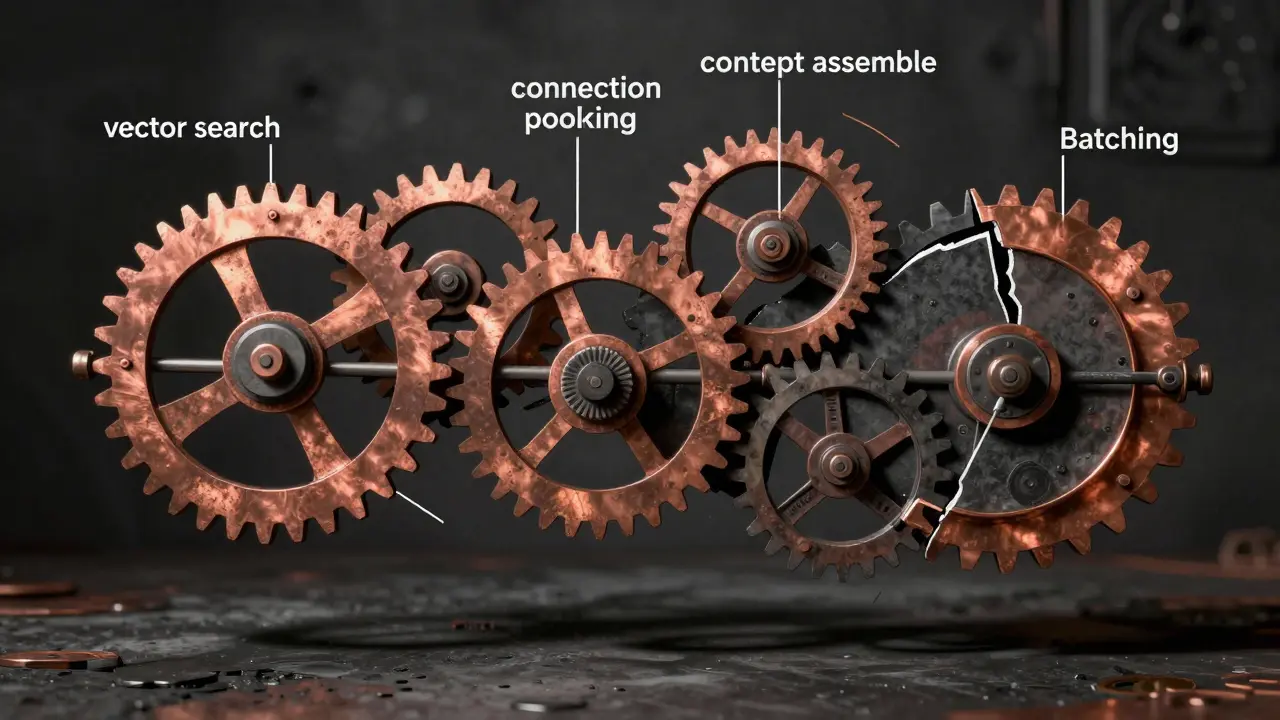
Streaming: Cut Time to First Token
The biggest user complaint? “It feels like it’s thinking forever.” That’s because the system waits until the entire response is ready before sending anything. That’s called “batched generation.”Streaming changes everything. Instead of waiting 2 seconds for the full answer, the user gets the first word in 200-500ms. It feels instant. Vonage’s tests showed streaming with Google Gemini Flash 8B reduced Time to First Token from 2000ms to under 500ms. For voice apps, that’s the difference between a smooth conversation and a robotic pause.
One team using Anthropic’s Claude 3 switched to streaming and saw user satisfaction jump 35%. Users didn’t know the model was the same. They just felt like it was faster.
LangChain 0.3.0, released in October 2025, added native streaming support. If you’re still using an older version, you’re running on a 2023 architecture.
Connection Pooling: The Silent Latency Killer
Every time your system talks to a vector database, it opens a new connection. That takes 50-100ms. And if you’re handling 50 requests per second? That’s 50 connection setups every second. That’s not just slow-it’s a bottleneck.Connection pooling reuses existing connections. Artech Digital’s December 2024 report showed it cuts connection overhead by 80-90%. That means 50-100ms saved per request. Multiply that across hundreds of daily queries, and you’re shaving seconds off your average response time.
There’s a known bug in LangChain v0.2.11 that caused 500-800ms extra latency due to poor connection handling. It was fixed in October 2025. If you’re still on that version, you’re bleeding time. Upgrade. Now.
Batching: Process More, Wait Less
LLMs are expensive to run. But they’re efficient when you give them multiple inputs at once. Instead of processing one query at a time, batch 10-20 together. Run them in parallel on the same GPU.Adaline Labs found this reduces average latency per request by 30-40%. It also doubles throughput. That’s not just faster-it’s cheaper. You need fewer GPUs to handle the same load.
Nilesh Bhandarwar from Microsoft says: “Asynchronous batched inference is non-negotiable for production RAG at scale.” If you’re not batching, you’re overspending on infrastructure.

Monitoring: You Can’t Fix What You Can’t See
Latency spikes are unpredictable. One day it’s 1.2s. The next, it’s 7s. Why? You won’t know unless you’re watching.OpenTelemetry is the standard for tracing RAG pipelines. It tracks every step: query → embedding → vector search → context assembly → LLM → response. Maria Chen, Artech Digital’s Chief Architect, says this identifies 70% of bottlenecks within 24 hours.
Tools like Datadog and New Relic help-but they cost $2,500+/month at scale. Open-source alternatives like Prometheus and Grafana are free and powerful. You just need to set them up. It takes 2-3 weeks to learn, but once it’s running, you’ll spot problems before users complain.
Tradeoffs: Speed vs. Accuracy
You can’t optimize for speed without risking quality. AWS Solutions Architect David Chen warns: “20% faster vector searches often mean 8-12% lower precision.” That means your AI starts giving wrong answers.Stanford’s Dr. Elena Rodriguez put it simply: “The latency-accuracy tradeoff curve flattens after 95% recall.” That means once you’re getting 95% of answers right, pushing for 98% doesn’t help users much-but it costs you 200ms more.
Finance and healthcare teams prioritize accuracy. They’ll tolerate 3-second responses if the answer is 99% correct. E-commerce and support bots need speed. They’ll accept 95% accuracy if the user gets an answer in 1.2 seconds.
Know your use case. Don’t over-optimize. Tune for your users, not your benchmarks.
What’s Next: The Future of RAG Latency
Google’s Vertex AI Matching Engine v2, released in December 2025, cuts vector search latency by 40% with better HNSW tuning. AWS SageMaker RAG Studio, launched in November 2025, auto-configures batching and pooling. LangChain 0.3.0 made streaming and async processing easy.But the real game-changer? NVIDIA’s RAPIDS RAG Optimizer, coming January 2026. It uses GPU-accelerated context assembly to cut latency by 50%. That’s not incremental. That’s transformative.
By 2027, Gartner predicts 90% of enterprise RAG systems will use multi-modal intent classification-analyzing not just text, but voice tone, typing speed, or even user history-to decide whether to retrieve at all. That’s not science fiction. It’s the next step.
Latency isn’t a technical detail. It’s a user experience metric. The best RAG system in the world is useless if it feels slow. The fastest one? It’s useless if it’s wrong. The goal isn’t to be the quickest. It’s to be the most responsive-without breaking trust.
What’s an acceptable latency for a production RAG system?
For web chat, under 2 seconds is acceptable. For voice assistants or real-time agents, you need under 1.5 seconds to maintain natural conversation flow. Anything over 2.5 seconds starts to feel broken to users.
Is Agentic RAG better than traditional RAG?
Yes, for most production use cases. Agentic RAG avoids unnecessary retrievals by classifying intent first. This cuts latency by 30-35% and reduces costs by 40%. It’s especially powerful for customer-facing apps where 35-40% of queries don’t need external data.
Should I use Qdrant or Pinecone for my RAG pipeline?
If you need control, tuning, and lower costs, use Qdrant. It’s open-source, faster at 45ms per query, and gives you full access to index settings. If you want plug-and-play with enterprise support and don’t mind paying 3.5x more at scale, Pinecone works. But most teams find Qdrant’s flexibility and performance worth the extra setup.
How much does connection pooling reduce latency?
Connection pooling reduces database connection overhead by 80-90%, saving 50-100ms per request. That’s not huge on a single call-but at 100 requests per second, that’s 5-10 seconds saved every second. It’s one of the easiest wins in RAG optimization.
Does streaming the LLM response really make a difference?
Yes, dramatically. Streaming cuts Time to First Token from 2000ms to 200-500ms. Users feel like the system is responding instantly, even if the full answer takes longer. Teams using streaming report 30-35% higher user satisfaction scores. It’s not a feature-it’s a requirement for voice and real-time apps.
What’s the biggest mistake teams make with RAG latency?
Optimizing the LLM instead of the pipeline. Most latency comes from retrieval, context assembly, and network calls-not the model. Teams spend millions on bigger GPUs while ignoring connection pooling, batching, or skipping unnecessary retrievals. Fix the pipeline first.
Can I use open-source tools for production RAG latency monitoring?
Absolutely. Prometheus and Grafana are free, powerful, and used by top engineering teams. You’ll need to set up OpenTelemetry instrumentation, which takes 2-3 weeks to learn, but once running, they give you full visibility into every step of the RAG pipeline without the $2,500+ monthly cost of Datadog or New Relic.
pk Pk
February 1, 2026 AT 06:06Bro, this is the most practical breakdown of RAG latency I’ve seen in months. Seriously, nobody talks about context assembly being the silent killer - I just optimized our pipeline last week by pre-formatting docs and dropped our P95 from 3.1s to 1.7s. No new hardware, just smarter prep work. If you’re still letting the LLM clean up markdown, you’re doing it wrong.
sumraa hussain
February 1, 2026 AT 10:29streaming is magic. like, actual magic. one second you’re staring at a spinning wheel, the next - boom - words start appearing like a typewriter from the 90s but cooler. users don’t care if it’s 1.8s total, they care that it *feels* alive. we switched to streaming with Claude 3 and our CSAT jumped 40%. no joke. the AI didn’t get smarter… we just stopped making it wait to speak.
Raji viji
February 2, 2026 AT 18:44Qdrant over Pinecone? LOL. You guys are still using open-source because you can’t afford the enterprise plan? Newsflash: Pinecone’s support team fixes your 3am outages while you’re googling ‘HNSW parameters’ at 2am. Also, 45ms? Sure, if your dataset is 10k vectors. Try 10M and watch your recall tank. You’re optimizing for a fantasy. Real companies pay for reliability, not ‘control’.
Rajashree Iyer
February 4, 2026 AT 08:18we think latency is a technical problem… but really, it’s a spiritual one. the delay between question and answer - it’s not milliseconds, it’s the space between human and machine. when the AI hesitates, we feel abandoned. when it responds instantly, we feel seen. this isn’t engineering. it’s intimacy. and intimacy demands presence. not faster GPUs. not better indexes. just… presence.
Parth Haz
February 5, 2026 AT 14:40Excellent overview. I’d only add that batching isn’t just about cost - it’s about stability. Random latency spikes often come from underutilized GPUs sitting idle between single requests. Batching smooths out the load, reduces thermal throttling, and improves overall system predictability. For teams scaling beyond 50 QPS, it’s not optional. It’s foundational.
Vishal Bharadwaj
February 5, 2026 AT 22:30you said agentic rag cuts latency by 35%? lol. that’s only true if your users ask dumb questions. what if someone asks ‘compare the regulatory impact of GDPR vs CCPA on ai training data’? you’re gonna skip retrieval and hallucinate an answer? that’s not intelligence, that’s negligence. you’re trading accuracy for speed because you’re too lazy to build a real pipeline. and btw, langchain 0.3.0? still buggy as hell. i lost 3 days to streaming race conditions.
anoushka singh
February 5, 2026 AT 23:13so… you’re telling me i should just skip retrieval for ‘what’s the weather’? but what if i’m asking for the weather in tokyo… and it’s raining… and i’m wearing sandals? like… shouldn’t the ai care? 😔
Jitendra Singh
February 7, 2026 AT 11:45the real win here isn’t the tech - it’s the mindset shift. stop thinking ‘how do i make the model faster?’ and start thinking ‘how do i make the whole system smarter?’ connection pooling, batching, intent classification - these aren’t hacks. they’re architecture. and yeah, monitoring with Prometheus isn’t sexy… but neither is getting paged at 3am because your Pinecone bill hit $12k.