When you type a simple prompt like "Build a login API with JWT auth," your AI coding tool doesn’t just spit out code. It watches. It records. And sometimes, it sends that information out of your machine-without you even realizing it. This isn’t sci-fi. It’s what’s happening right now in tools like Claude Code, an AI-powered coding assistant from Anthropic that generates code from natural language prompts, Cursor, and Cline. The real question isn’t whether telemetry is happening-it’s what is leaving your repo, and who gets to see it.
What Exactly Is Telemetry in Vibe Coding?
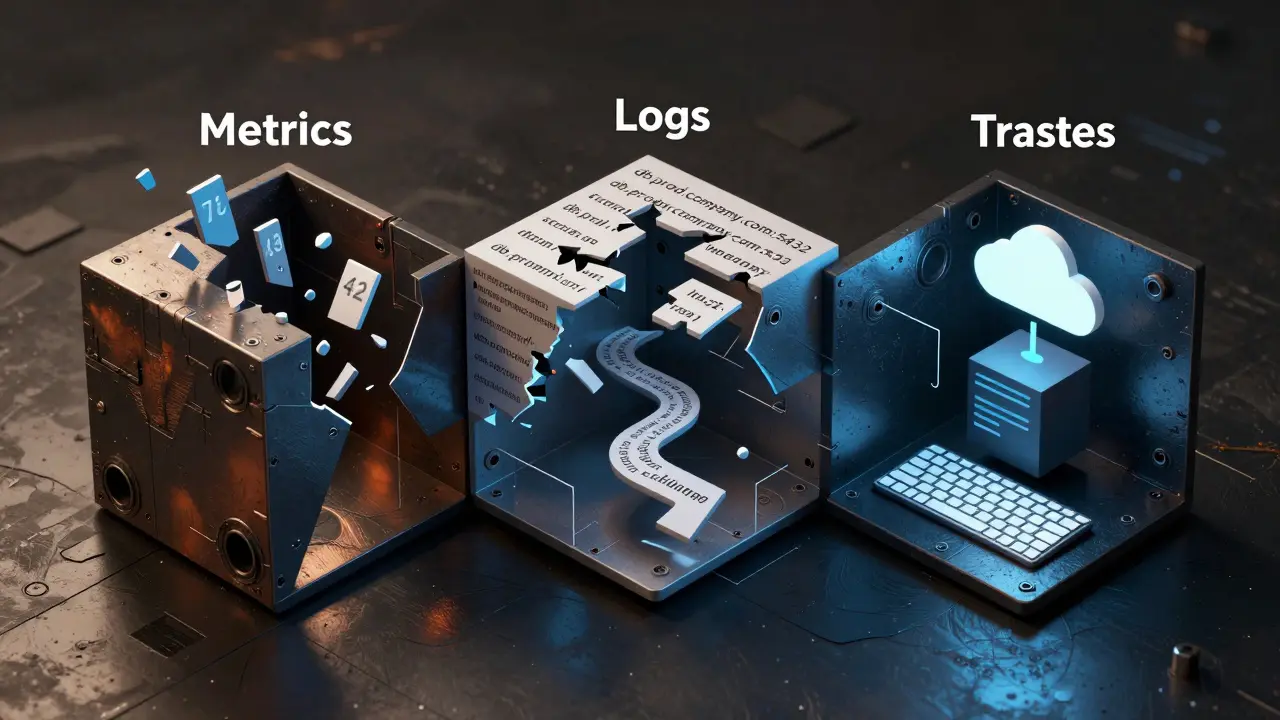
Telemetry isn’t just logging. It’s the automated collection of metrics, logs, and traces as you code. Metrics track things like how many tokens you used, how long a code generation took, or how often the AI failed. Logs capture events-like when you asked for a database query or when the AI retried a failed response. Traces follow the full path of a request: from your prompt, through the AI model, into your editor, and back again. These aren’t optional extras. They’re built into every major vibe coding tool today.Most of these tools use OpenTelemetry, an open standard for collecting and exporting telemetry data across platforms as the backbone. That means whether you’re using Replit, Cursor, or Cline, the data format is the same. It’s like everyone speaking the same language-but not everyone agrees on what to say.
What Gets Sent Out? The Three Types of Data
- Metric data is numbers: token count, latency, memory use. These help teams monitor cost and performance. Nothing personal here-just system behavior.
- Logs are event records. This is where things get risky. Logs might include your exact prompt: "Generate a function that connects to our internal API at https://api.internal.company.com/v2/auth". That’s not just code. That’s your company’s secret endpoint.
- Traces show the full journey. They track how your prompt led to a code change, which file was modified, what dependencies were pulled in, and even which version of the AI model was used. This creates a digital fingerprint of your workflow.
OpenTelemetry handles all three. But here’s the catch: what gets included in logs and traces depends entirely on the tool’s default settings.
Privacy Defaults Vary Wildly
Not all tools treat your data the same. Take Claude Code, a vibe coding tool designed with privacy as a core principle. By default, it redacts your prompts. Even if you turn on telemetry, your exact words-"How do I fix the auth token expiry?"-never leave your machine. You have to explicitly enable prompt logging with environment variables likeCLAUDE_CODE_ENABLE_TELEMETRY=1 and CLAUDE_CODE_LOG_PROMPTS=false. It’s opt-in, not opt-out. Anthropic built this because they know developers don’t want their internal API keys, database schemas, or business logic floating around.
Compare that to Gemini, Google’s AI coding assistant that logs prompts by default. Its setting GEMINI_TELEMETRY_LOG_PROMPTS=true is turned on out of the box. If you don’t go into the config and flip it to false, your prompts-full of sensitive context-are being sent to Google’s servers. No warning. No opt-in. Just default behavior.
And then there’s Codium Codex, a tool that exports logs and traces but not metrics. To get metrics, you have to parse logs manually. That’s a workaround, not a feature. It means teams using Codex might be blind to usage spikes or cost overruns because the data isn’t structured for easy analysis.
Where Does the Data Go?
Telemetry doesn’t just vanish into the air. It’s sent to an endpoint. That endpoint could be:- A local server on your machine (like
http://localhost:4318) - Your company’s internal observability stack (VictoriaMetrics, Grafana Loki)
- A cloud service like VictoriaMetrics Cloud or Sentry
Most enterprise teams use a local collector first. The telemetry data flows from your editor to a tool running on your network, then gets filtered and forwarded to the cloud. This way, sensitive data never leaves the firewall unless you say so. But if you’re using a tool that sends data directly to the vendor’s cloud-like some versions of Cursor or Replit-you’re trusting them not to store or analyze your prompts.
And here’s the twist: some tools now use Model Context Protocol (MCP), a system that lets AI agents pull live telemetry data back from observability platforms to improve code generation. So after your AI writes code, it might query Sentry to see how the last version performed. That means your execution logs-errors, latency, failures-flow back to the AI provider. You’re not just sending data out. You’re feeding it back into the model.
What’s at Risk?
Imagine this: you use an AI tool to generate a data pipeline in Tinybird. You type: "Create a materialized view that aggregates satellite images by hour and alerts on z-score anomalies." The AI builds it. But if telemetry logs your prompt, someone at the vendor could see:- Your data source: satellite imagery
- Your analytical method: z-score on 10-hour windows
- Your infrastructure pattern: materialized views + anomaly endpoints
That’s not just code. That’s your competitive edge. If a competitor uses the same tool and the vendor leaks or sells aggregated data, they could reverse-engineer your entire system.
Even worse: if your prompt includes credentials-"Connect to DB at db.prod.company.com:5432 with user admin and password X7#k9mP"-and that gets logged, you’ve just handed your database to a third party.

How to Protect Yourself
You can’t just ignore telemetry. But you don’t have to accept defaults. Here’s what to do:- Check your tool’s default settings. Does it log prompts? If yes, disable it. In Gemini, set
GEMINI_TELEMETRY_LOG_PROMPTS=false. In Claude Code, leave it off unless you need it. - Use local collectors. Set up a local OpenTelemetry collector on your network. Route all telemetry there first. Then decide what, if anything, gets sent externally.
- Use environment variables. Don’t rely on UI toggles. Configure via
OTEL_EXPORTER_OTLP_ENDPOINTandOTEL_LOGS_EXPORTER. That way, your settings stay consistent across machines. - Never include secrets in prompts. Even if telemetry is off, AI tools can memorize your prompts. Never paste passwords, keys, or internal URLs into chat.
- Use prompts to instrument your code. Instead of relying on tool telemetry, ask the AI: "Add OpenTelemetry spans to this handler, log errors with context, and emit a counter for API calls." You control what gets tracked.
The Bigger Picture: Telemetry Is Now Part of the Code
The future of vibe coding isn’t just about writing code faster. It’s about observability, the practice of understanding system behavior through metrics, logs, and traces being baked into every line. Tools like Sentry’s MCP server are already letting AI agents query your production logs to fix bugs before you even notice them. That’s powerful. But it’s also a new attack surface.What’s happening now is a shift from "AI writes code" to "AI writes code that writes telemetry." And that telemetry, if not controlled, becomes a shadow record of your entire development process-your logic, your secrets, your mistakes.
You’re not just a developer anymore. You’re a data steward. And if you don’t manage what leaves your repo, someone else will.
Do all vibe coding tools send data to the cloud?
No. Tools like Claude Code and Cline let you configure telemetry to stay local. Others, like Cursor and Replit, may send data to their servers by default. Always check the privacy policy and telemetry settings before using a tool for sensitive work.
Can I turn off telemetry completely?
Yes. Most tools allow you to disable telemetry via environment variables or config files. For example, set CLAUDE_CODE_ENABLE_TELEMETRY=0 or GEMINI_TELEMETRY_ENABLED=false. Some tools, like Cline, are open-source and let you compile your own version without telemetry at all.
Is my code stored by the AI tool after I use it?
It depends. Some vendors claim they don’t store code, but telemetry data (like prompts and traces) may still be retained. Always assume your prompts are logged unless the tool explicitly says they’re deleted immediately. Never input proprietary code or secrets into public-facing AI tools.
What’s the safest vibe coding tool for privacy?
Cline for VS Code is currently the most privacy-respecting option. It’s open-source, free, and doesn’t send data by default. Claude Code is also strong because it redacts prompts unless you opt in. Avoid tools that log prompts by default unless you’ve configured them to stop.
Can telemetry reveal what I’m working on even if prompts are redacted?
Yes. Even without prompts, traces can show which files you modified, how often you generated code, and what frameworks or libraries you used. If you’re working on a proprietary algorithm, your usage pattern alone could give away what you’re building. Always assume telemetry reveals more than you think.
Anuj Kumar
February 24, 2026 AT 02:31Bro. You think this is new? AI tools have been snitching since day one. I saw a guy type "how to bypass firewall" and boom - next day his whole network got pwned. Telemetry? Nah. That’s just the tip of the iceberg. They’re training models on your secrets, your API keys, your grandma’s password. You’re not coding. You’re giving free data to Big Tech. Wake up.
Christina Morgan
February 25, 2026 AT 22:03Honestly, I love how this post breaks it down so clearly - metrics, logs, traces. It’s like they’re mapping your brain while you code. But I also think we’re overcomplicating it. If you’re worried, just use local tools like Cline or set env vars. No need to panic. I’ve been using Claude Code with telemetry off for months and haven’t lost a single line of code… or my sanity. 😊
Kathy Yip
February 27, 2026 AT 09:21wait… so even if prompts are redacted, traces can still show which files i changed and how often? that’s wild. i always thought if i turned off logging, i was safe. but now i’m wondering… if i’m working on a secret algo and i generate code 17 times in 2 hours, does that tell them something? 🤔 maybe i should start using a fake repo just to confuse the bots. (sorry for typos, typing on my phone)
Bridget Kutsche
February 28, 2026 AT 11:35Thank you for this. Seriously. I work in healthcare tech and we use AI tools daily. I never realized how much my prompts could expose - like, one time I asked for a "health record parser that pulls from FHIR API" and didn’t think twice. Now I cringe. I’ve since switched to Cline, set all my env vars, and even wrote a little script to auto-block any prompt with "password" or "token" in it. Small steps, but they help. You’re not paranoid if the system is rigged. Stay safe out there.
Jack Gifford
February 28, 2026 AT 17:46Just one sentence: If you're not using OTEL_EXPORTER_OTLP_ENDPOINT to route telemetry locally, you're basically handing your code to strangers. Fix it now.