When you ask an LLM a question-whether it’s about your tax records, a personal health concern, or your company’s internal strategy-your input doesn’t just vanish after the answer appears. It gets logged. Stored. Sometimes kept for weeks, months, or even longer. And if your organization doesn’t have clear retention and deletion policies for these prompts and logs, you’re risking compliance violations, data leaks, and irreversible reputational damage.
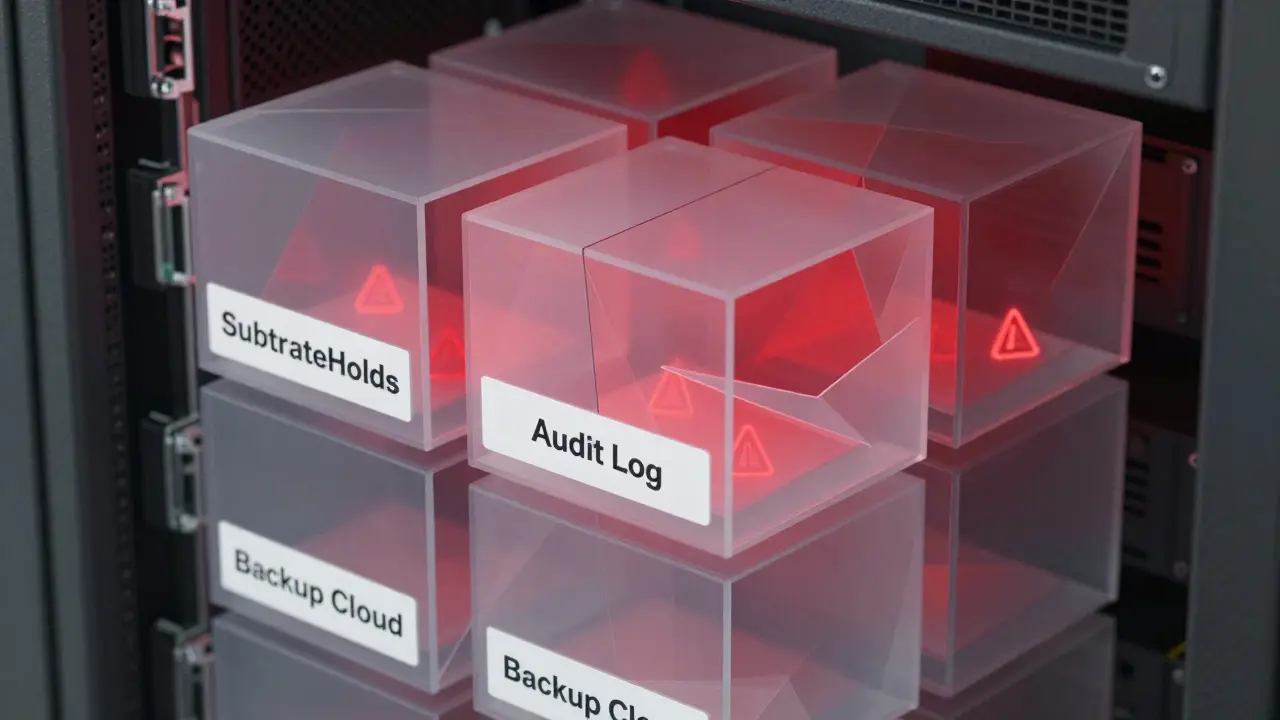
It’s not enough to say, "We delete everything after 24 hours." Real-world systems don’t work that way. Take Microsoft’s Copilot: even when you think a prompt is gone, it lingers in a hidden holding area called SubstrateHolds for up to seven days after the retention period ends. Only then does a background timer job trigger permanent deletion. That means a "delete after 30 days" policy could actually keep your data around for 44 days total. If you’re handling EU citizen data, that’s a GDPR violation waiting to happen.
Why retention policies for LLM prompts matter more than you think
LLMs don’t just process data-they memorize it. Studies have shown that models can regurgitate exact snippets of training data, including names, email addresses, and even full credit card numbers if they appeared frequently enough. When users type sensitive information into a chatbot, that data becomes part of the model’s memory unless actively removed. And removing it isn’t as simple as deleting a log file.
Unlike traditional databases, you can’t just run a SQL DELETE command and call it done. If a model has learned your customer’s Social Security number from a prompt, you need to use techniques like knowledge unlearning or even retrain the entire model on a sanitized dataset. That’s expensive. That’s time-consuming. And if you don’t do it, you’re exposing people to identity theft.
That’s why retention policies must be built around two core principles: purpose limitation and data minimization. Ask yourself: Why are we keeping this prompt? Is it for model improvement? For compliance? For troubleshooting? If the answer isn’t clear, don’t keep it.
How deletion really works in enterprise LLM systems
Most companies assume deletion is instant. It’s not. Here’s how it actually breaks down in production systems:
- Stage 1: Mark for deletion - The system flags the prompt for removal based on policy (e.g., "delete after 30 days").
- Stage 2: Move to holding area - The data is moved to a secure, isolated storage zone (like SubstrateHolds) for 1-7 days. This prevents accidental deletion during audits or legal holds.
- Stage 3: Final purge - A background job runs to overwrite the data on disk, ensuring it’s unrecoverable. This can take another 1-7 days.
So even if your policy says "delete after 1 day," the system might not finish the job for 16 days. Why? Because compliance isn’t about speed-it’s about certainty. If a legal team needs to retrieve data for an investigation, the system must be able to prove it wasn’t destroyed prematurely.
Organizations that skip these steps risk being unable to prove deletion during audits. Regulators like the EU Data Protection Board don’t accept "we deleted it" as proof. They demand logs showing when, how, and by whom the deletion occurred.
What your retention policy must include
A strong retention policy isn’t a one-size-fits-all document. It’s a living framework that answers these questions:
- What data are we keeping? Not all prompts are equal. A customer service query about shipping times is low-risk. A manager asking for a breakdown of payroll data is high-risk. Classify each type.
- How long should we keep it? Base retention periods on regulation, not convenience. GDPR says data should only be kept as long as necessary. HIPAA requires 6 years for certain health-related logs. PCI-DSS demands deletion after 90 days for payment data.
- Who can access it? Limit access to engineers and compliance officers only. No marketing teams. No interns. Use role-based access controls and require multi-factor authentication for every login.
- How do we delete it? Don’t rely on manual deletion. Automate it. Use tools that trigger deletion based on timestamps, data classification tags, or user consent flags.
- How do we prove we deleted it? Maintain immutable audit logs. Record every deletion event with a timestamp, user ID, and confirmation hash. Store these logs separately from the original data.
One company we worked with thought they were compliant because they had a "delete after 7 days" policy. Then they got audited. Turns out, their system was caching prompts in temporary memory for 14 days before writing them to logs. And the logs were backed up to a third-party cloud that didn’t honor deletion requests. They had to pay a €2.3 million fine.
Encryption and secure storage aren’t optional
Storing prompts in plain text is like leaving your house keys under the mat. Even if you delete them later, someone with access to the server can recover them.
Use encryption at rest and in transit. For fields that need validation (like email addresses or phone numbers), consider format-preserving encryption so the system can still check validity without seeing the raw data. Never store PII in logs unless absolutely necessary-and even then, mask it.
And don’t forget about model artifacts. If you retrain a model on historical prompts, those prompts become part of the model weights. That’s not a log-that’s a permanent fingerprint of your users’ data. If you don’t scrub them before retraining, you’re not just storing data-you’re embedding it into your AI.
Multi-cloud? Multi-problems
If your LLM runs across AWS, Azure, and Google Cloud, your retention policy has to account for three different systems, three different deletion timelines, and three different compliance rules.
Azure might hold data for 7 days after deletion. AWS might auto-delete after 30. Google Cloud might require manual confirmation. If you don’t have a unified policy, you’ll end up with data sitting in one cloud longer than legally allowed-while another cloud deletes it too early and breaks your audit trail.
Use a centralized data governance layer to enforce consistency. Tools like Microsoft Purview or AWS Macie can help tag, classify, and track data across platforms. But they’re only as good as the rules you set.

Model retirement: The forgotten risk
When you replace an old LLM with a new one, you don’t just shut it down. You have to fully decommission it.
That means:
- Deleting all training logs and prompts used to build it
- Revoking access keys and API tokens tied to it
- Erasing cached data in temporary storage
- Verifying no backups remain in object storage
- Updating any dependent systems that still reference it
One financial services firm kept an old model running in a test environment for six months after retirement. Someone accidentally fed it live customer data. The model memorized 12,000 account numbers. They didn’t find out until a penetration test flagged it. The cost? Over $4 million in remediation and regulatory penalties.
What you should do right now
You don’t need a team of lawyers and engineers to start. Here’s what to do in the next 72 hours:
- Map your data flows - Trace every prompt from input to storage to deletion. Where does it go? Who touches it?
- Classify your prompts - Label them: Public, Internal, PII, Financial, Health, etc.
- Set retention periods - Base them on regulations. Delete PII after 30 days. Keep internal logs for 90 days for troubleshooting.
- Enable automated deletion - Use your cloud provider’s tools. Don’t rely on manual scripts.
- Start logging deletions - Every time a prompt is deleted, record it. No exceptions.
Don’t wait for a breach. Don’t wait for a fine. The rules are clear. The risks are real. And the systems you’re using today already have the tools to fix this-before it’s too late.
Gina Grub
March 4, 2026 AT 11:44Nathan Jimerson
March 5, 2026 AT 23:16Sandy Pan
March 6, 2026 AT 03:47Eric Etienne
March 6, 2026 AT 20:06Dylan Rodriquez
March 7, 2026 AT 14:28Amanda Ablan
March 8, 2026 AT 12:33