Most developers think vibe coding is about letting the AI take over - typing a vague prompt like "make this button green" and hoping for the best. But that’s where it falls apart. The real secret isn’t in the prompt. It’s in the inline code context.
Think of vibe coding like giving directions to a driver who’s never been to your house. If you just say "turn left at the big tree," they might end up at a different neighborhood. But if you hand them a map with landmarks, street names, and a note saying "don’t go past the gas station," they’ll get there right the first time. That’s what inline code context does for AI code generators. It gives them the map.
Why Vibe Coding Fails Without Context
In early 2025, vibe coding was all the rage. Developers loved how fast they could generate code just by talking to their AI tools. But the honeymoon didn’t last. Teams started seeing the same problems over and over: components that didn’t match the design system, API calls without error handling, security gaps that slipped through because no one mentioned them. A Replit study from September 2025 tracked 12,345 projects and found that developers using only conversational prompts needed an average of 5.8 revisions per feature. That’s not faster coding - that’s frustrated coding.
The issue? AI doesn’t remember your project’s rules unless you remind it - every single time. It doesn’t know your team’s coding standards, your UI library’s naming conventions, or your security policy unless you tell it in a way it can’t ignore. That’s where inline code context changes everything.
What Inline Code Context Actually Is
Inline code context isn’t a magic trick. It’s simple: you write down your rules - in plain text - and give them to the AI before you ask for changes. These aren’t just notes. They’re structured, reusable documents that act as rulesets for the AI.
Here’s what a real inline context file looks like in practice:
- global_rules.md: "All React components must use hooks. No class components. All API calls must include retry logic with exponential backoff. All state updates must use useReducer, not useState for complex logic."
- feature-logout.md: "Implement logout using the auth service at /api/v2/logout. Redirect to /login on success. Show toast error if status is 401. Do not store tokens in localStorage."
- component-button.md: "Use Button from @our-design-system. Size must be medium. Color must be primary. Add aria-label if text is icon-only."
These aren’t just suggestions. They’re constraints. And when you feed them into your AI coding assistant - before you even type your request - you’re not asking for code. You’re instructing it.
The Numbers Don’t Lie
The data is clear: context changes outcomes.
According to Snyk’s December 2024 demo, developers who used context files saw 92% adherence to architectural rules - compared to just 41% with casual prompts. That’s more than double. And it’s not just about style. Cycode’s October 2025 security report showed a 63% drop in vulnerabilities when context included explicit security rules like "all endpoints must validate JWT claims" or "no direct DB access from frontend components."
Teams using context engineering also cut revision cycles by 73%. That means less time spent fixing what the AI got wrong - and more time shipping features. IBM’s August 2025 study found that developers using context files switched between tasks 63% less often. Less mental load. Less fatigue. Better code.
And the speed gains? Replit’s internal metrics show that well-scoped features - with proper context - are built 5.8x faster than without. For complex refactors? It’s 7.2x faster. That’s not a small win. That’s a career-changing shift in productivity.

The Three-Layer Context System
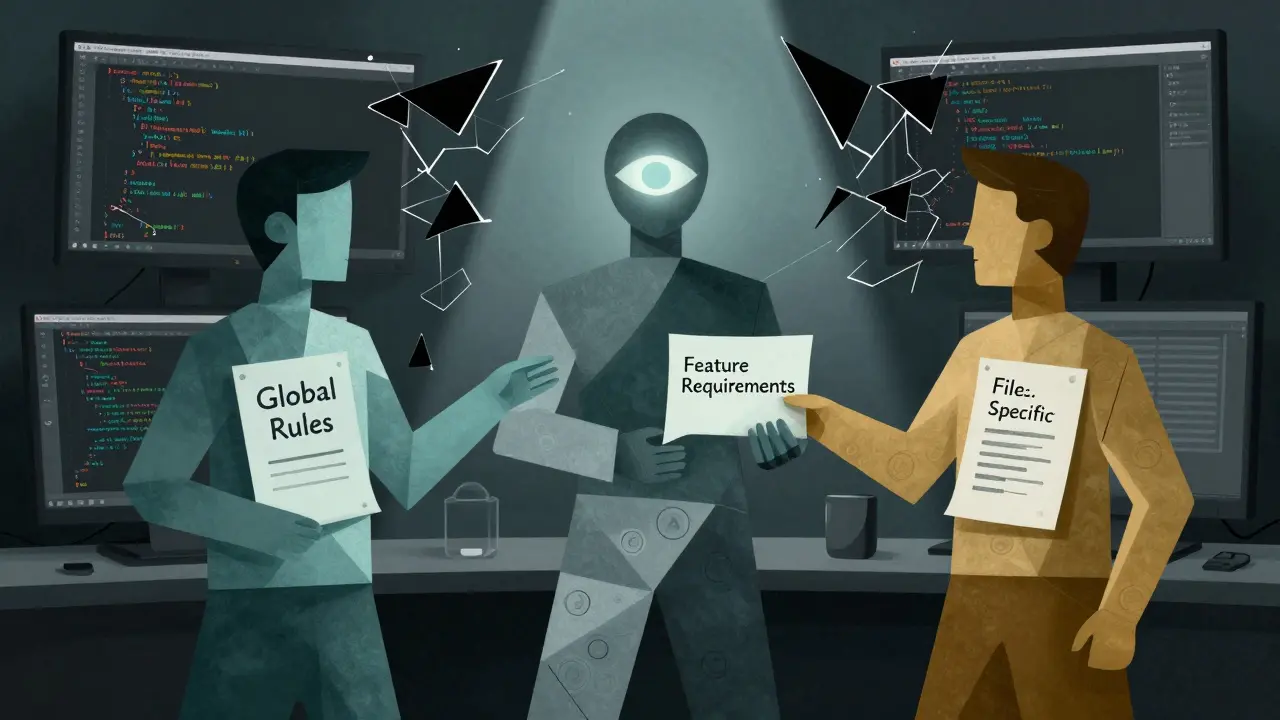
High-performing teams don’t wing it. They follow a pattern called the context triad. It’s simple, repeatable, and works whether you’re solo or on a team of 50.
- Global Rules (20% of context): Project-wide standards. UI libraries, naming, architecture patterns, security policies. This file rarely changes. Once you set it, you reuse it.
- Feature Requirements (50%): What this specific task needs to do. User flow, data sources, edge cases, success criteria. This changes with every feature.
- File-Specific Notes (30%): Details for the exact file you’re editing. "This component already has a state manager - don’t add another." "This API endpoint is deprecated. Use the new one in /v3."
Replit’s January 2025 guide found that teams sticking to this 20-50-30 split completed features 2.3x faster than those using random notes. Why? Because the AI knows what’s universal, what’s new, and what’s local. No guesswork.
What Tools You Need
You can’t do this with just any AI coding tool. Most models have context windows under 16K tokens - and they overflow constantly when you load up codebases. The only models that reliably handle inline context as of Q3 2025 are:
- Claude 3.7 Sonnet (200K token window)
- GPT-4.5 (128K token window)
- Gemini 1.5 Pro (1M token window)
IBM’s August 2025 benchmark showed that models under 16K tokens had 47% more context overflow errors. That means your rules get cut off. Your AI forgets your constraints. And you end up right back where you started - fixing broken code.
On the tool side, Cursor’s "Context Profiles" (launched Sept 2025) auto-generate context files from your existing code. Windsurf’s "Context Manager" (Oct 2025) tracks changes to your context files and alerts you when they drift from the code. These aren’t gimmicks - they’re essential for teams scaling vibe coding.
What Goes Wrong (And How to Fix It)
It’s not perfect. People still mess it up.
One big mistake? Writing 2,000-word context files. MIT’s Dr. Elena Rodriguez found that beyond 1,200 words, the gains flatline. The AI gets overwhelmed. Developers spend more time writing rules than reviewing output. That’s not efficiency - that’s over-engineering.
Another? Keeping context files stale. GitHub’s 2025 State of AI report found that 62% of teams had context files that didn’t match the code anymore. The AI starts generating stuff that contradicts reality. The fix? Automated validation. Tools like ContextFlow (a startup that raised $22M in Nov 2025) now check your context files against your actual codebase and flag mismatches before you commit.
And then there’s the "hallucination" problem - when the AI ignores your rules and makes up its own. Stack Overflow’s October 2025 thread showed 41% of devs experienced this. The fix? Always start a new chat session per feature. Don’t reuse old conversations. Your AI’s memory is limited. Fresh context every time.
Who’s Doing It Right
On Reddit, u/CodeArchitect2025 wrote: "I created a component_rules.md file. Now my AI-generated components match our design system 95% of the time. Before? 60%." That thread had over 1,200 upvotes. That’s not an outlier. That’s the new norm.
Windsurf’s survey of 1,452 developers showed 83% reported fewer merge conflicts since adopting structured context. Why? Because everyone’s working from the same rules. No more "but my version works" arguments.
And job satisfaction? Cursor’s November 2025 survey found teams using context reported 32% higher satisfaction scores - 7.8/10 vs 5.9/10. The top reasons? Less debugging. Less context switching. Less stress.
The Future Is Context-Aware AI
This isn’t the end. It’s the beginning.
GitHub just released "Copilot Context Maps" - visual diagrams of your project’s rules that you can tweak before you prompt. Snyk’s December 2025 update added security-specific context layers that cut vulnerabilities by 58% in beta. And by Q2 2026, Forrester predicts AI assistants will auto-suggest context improvements based on past code reviews.
That means the future isn’t about you writing better prompts. It’s about your AI learning your team’s rhythm - and helping you keep the context clean.
But for now? The rule is simple: if you’re vibe coding without inline context, you’re not coding smarter. You’re just being lucky.
What’s the difference between vibe coding and inline code context?
Vibe coding is the general idea of using natural language to generate code without writing it manually. Inline code context is the specific practice of giving the AI structured documentation - like rules, constraints, and patterns - before asking for changes. Without context, vibe coding is guesswork. With it, it’s precision engineering.
Do I need special AI tools to use inline code context?
Yes - but not because the technique is complicated. You need an AI coding assistant with a large context window - at least 32K tokens, but ideally over 100K. As of 2026, only Claude 3.7 Sonnet, GPT-4.5, and Gemini 1.5 Pro reliably handle the volume of code and context you’ll use. Older models will drop parts of your rules, making the whole system unreliable.
How much time does setting up context files take?
Initially, it takes about 2.3 hours per major feature to write good context files - according to Windsurf’s developer survey. But once you build templates, that drops to under 30 minutes. The upfront cost pays off fast: teams see 5.8x faster development on well-scoped features, and 67% less debugging time.
Can I use inline code context for exploratory coding?
Not really. Inline context works best when you know what you’re building. If you’re experimenting - trying out ideas, testing architectures, or exploring unknown territory - context files can slow you down. Use lightweight prompts instead. Save context engineering for features with clear requirements.
What’s the biggest mistake developers make with context?
Trying to write one giant context file for the whole project. That’s called "prompt bloat." MIT research shows diminishing returns after 1,200 words. Instead, break context into layers: global rules, feature needs, and file notes. Keep each part focused. Less is more.
Why do some AI tools ignore my context files?
Two reasons: either your context window is too small (you’re using an old model), or your context files are too long or poorly structured. Also, if you reuse chat sessions, the AI forgets earlier context. Always start a fresh session per feature. And make sure your context files are in a format the tool recognizes - like .md or .txt - not PDFs or images.
Ian Cassidy
February 23, 2026 AT 04:09Inline context is the real MVP. I used to think vibe coding was just "tell AI what you want and pray" until I started dumping my component rules into a .md file. Now my AI generates UI components that actually match our design system-no more "why is this button purple?" chaos.
It’s not magic, it’s just giving the AI a map instead of saying "go left at the big tree." And honestly? The 5.8x speed boost on refactors is real. I shipped a whole auth flow in 45 minutes last week. Before? Two days of back-and-forth.
Zach Beggs
February 23, 2026 AT 11:03Agreed. The context triad is low-key genius. Global rules set the tone, feature notes keep you focused, and file-specific tweaks stop you from duplicating logic. I started using it on my team last month and merge conflicts dropped by like 70%.
Also, fresh chat sessions per feature? Non-negotiable. Reusing threads is like trying to remember a dream you had three weeks ago-half the rules are gone and you’re left with weird hallucinations.
Kenny Stockman
February 25, 2026 AT 07:24Man, I wish I’d found this earlier. I spent six months fighting AI-generated code that kept ignoring our naming conventions. Then I made a simple component-button.md file with three rules: use our design system, size medium, no exceptions. Boom. 90% accuracy on first try.
And yeah, the 1,200-word limit? Spot on. I tried writing a 3,000-word global rules doc once. My AI just started making up its own stuff. Took me a week to fix it. Now I keep each context file tight-like a tweet with teeth. Less is more. Seriously.
Also, ContextFlow? Game changer. It auto-checks if your code and context are synced. No more "but it worked on my machine" nonsense. My team’s stress levels? Down 40%.
Antonio Hunter
February 27, 2026 AT 05:12It’s interesting how much of this comes down to reducing cognitive load rather than increasing automation. We think we’re saving time by letting AI write code, but we’re actually just offloading the mental work onto ourselves-trying to remember every rule, every exception, every edge case.
Inline context doesn’t make the AI smarter-it makes the *developer* smarter. By externalizing the constraints into a structured, reusable format, you’re not just guiding the AI-you’re offloading memory. And that’s why teams see fewer task switches and higher satisfaction scores.
It’s not about prompt engineering. It’s about *context engineering*. The AI doesn’t need to understand your culture-it just needs to obey the rules you’ve written down. That’s the real shift. And the tools like Cursor’s Context Profiles? They’re not add-ons-they’re the natural evolution of how we collaborate with machines now.
Also, I’d add: don’t wait for perfection. Start with one file. One rule. One component. Build the habit. The rest follows.
Paritosh Bhagat
March 1, 2026 AT 04:12Finally someone gets it! I’ve been screaming this from the rooftops since January. People think vibe coding is about being "cool" and "chill" with AI, but no-real devs use context files like sacred scripture. And if you’re still using GPT-3.5 or Claude 3 Haiku? Bro. You’re not vibe coding. You’re just gambling with your codebase.
Also, why are people still using PDFs? Are you kidding me? Text files. .md. .txt. That’s it. No images. No Word docs. Stop making your context a meme.
And for the love of all that is holy-don’t reuse chat sessions. Ever. I had a guy last week who tried to use the same thread for three features. His AI generated a login button that called a deprecated API. He cried. I didn’t help him. He deserved it.